


Table of Contents
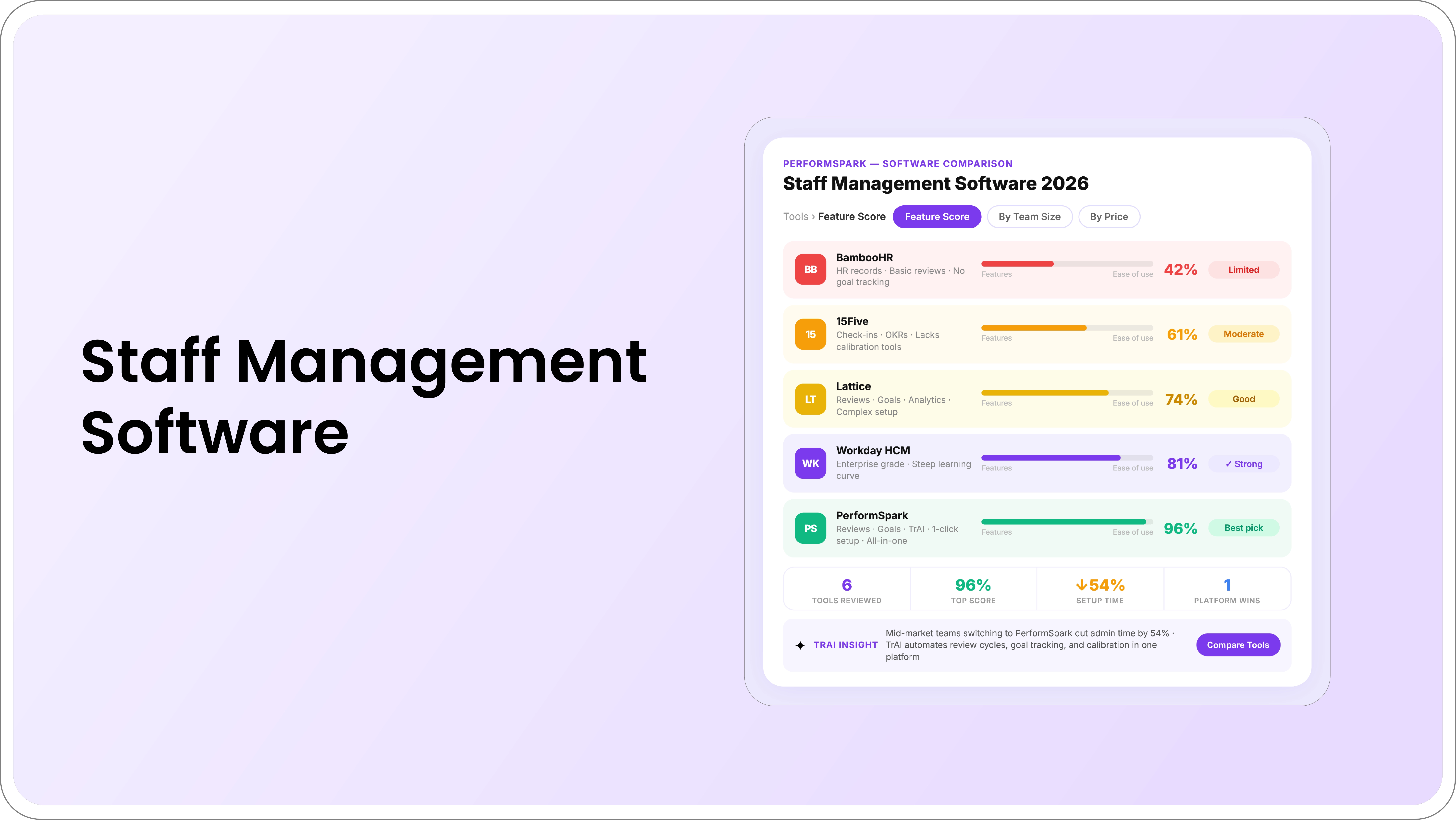
Staff performance management software helps HR teams structure goals, manager check-ins, feedback, reviews, calibration, development, improvement workflows, and reporting. The right system should fit the organization's operating model without creating unnecessary implementation or administration burden.
This page focuses on the commercial evaluation of staff performance management software for mid-market HR teams. It does not rank vendors or present unverified competitor prices. Use the framework to compare products using your own requirements, demonstrations, documentation, references, and contract terms.
For a broader requirements process, use the performance management software buyer guide. For software-category fit, review the simple vs. enterprise comparison.
What Is Staff Performance Management Software?
Staff performance management software is a platform for managing recurring employee-performance processes. Depending on the product and configuration, it may support:
- Employee and team goals
- Check-ins and 1-on-1s
- Continuous and requested feedback
- Performance review cycles
- Rating scales and approvals
- Performance calibration
- 360-degree feedback
- Individual development plans
- Performance improvement plans
- Recognition, reminders, and reporting
The product should support the organization's defined process. It should not automatically decide ratings, compensation, promotion, development priorities, or employment outcomes.
When Do HR Teams Need Dedicated Software?
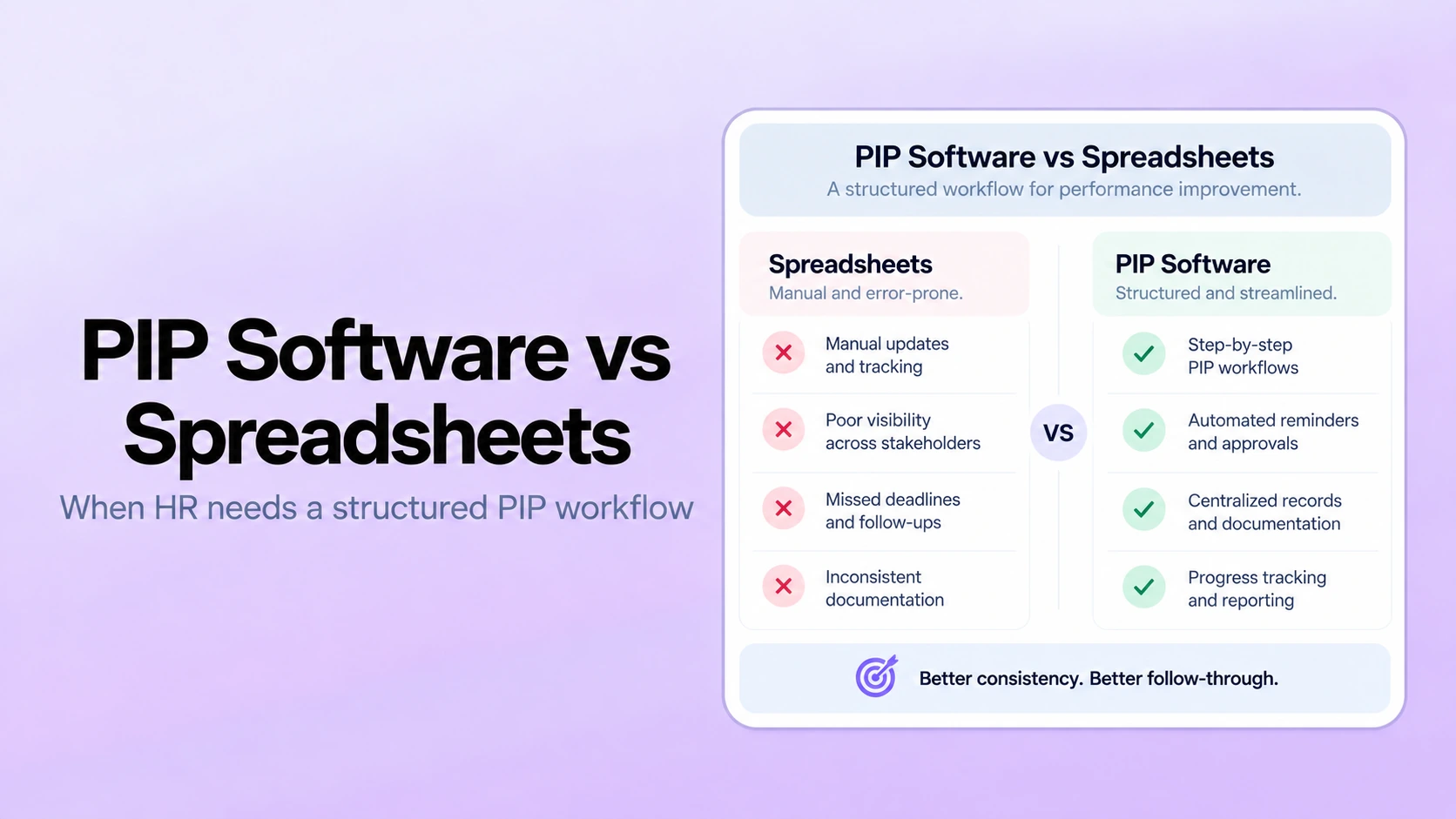
Documents and spreadsheets may be manageable when the organization has a simple process and a small number of participants. Dedicated software becomes more useful when:
- HR manually assigns and tracks review tasks
- Managers maintain goals and notes in separate files
- Several review populations require different workflows
- Calibration preparation depends on manual exports
- Review outcomes do not become development actions
- Permissions are difficult to control
- Employee and manager changes create assignment errors
- HR lacks reliable completion and status reporting
- Formal development or PIP records are fragmented
There is no universal employee-count threshold. Process complexity, manager structure, governance, integration needs, and HR capacity matter more than headcount alone.
12 Capabilities to Evaluate
1. Review workflow configuration
Confirm support for self-assessments, manager reviews, peer input, approvals, employee delivery, acknowledgment, reopening, and exceptions. Ask HR administrators to configure a realistic cycle during the demo.
2. Goal management
Goals should support owners, measures, milestones, evidence, dependencies, approved changes, and review visibility. Avoid systems that reduce every goal to a simple percentage without context.
3. Manager check-ins
Evaluate recurring agendas, notes, actions, visibility, reminders, and connections to goals and development. The system should support useful conversations without turning every informal discussion into a formal employee record.
4. Feedback and recognition
Review requested, continuous, peer, customer, and 360 feedback workflows. When employee recognition is included, confirm how recognition remains relevant to actual contribution.
5. Rating-scale support
The platform should support the organization's scale definitions, competencies, weights, formulas, and narrative requirements. Use the rating scale guide to test whether adjacent levels are clear.
6. Calibration
Evaluate distributions, evidence access, participant permissions, case prioritization, decision recording, and updates to final reviews. The software may identify patterns or outliers, but HR and managers should remain responsible for interpretation and final decisions.
7. Development and improvement workflows
Normal growth priorities should move into IDPs with activities, milestones, and manager support. Formal performance gaps should use a separate controlled PIP workflow. The system should not treat development and corrective action as the same process.
8. Notifications and completion management
Performance notifications should support assignments, reminders, approvals, escalation, and milestone follow-through. Confirm that sensitive information is not exposed in email or chat previews.
9. Reporting and analytics
Useful performance reporting may include completion, workflow stage, rating distribution, calibration changes, goal status, development activity, check-in usage, and exceptions. Users should be able to investigate the underlying records.
10. Integrations and employee data
Review available integrations for the HRIS, identity provider, calendar, communication tools, payroll, or other required systems. Confirm fields, sync direction, frequency, manager changes, leave, terminations, and error ownership.
11. Security and permissions
Performance records can contain sensitive feedback, ratings, development needs, and formal plans. Evaluate authentication, role-based access, response visibility, administrator permissions, retention, deletion, exports, activity history, and AI data handling through the vendor's security documentation.
12. Implementation and support
Ask for a requirements-based plan covering configuration, data, integrations, permissions, testing, training, communication, launch support, and post-cycle review. The implementation mistakes guide explains the main rollout risks.
Staff Performance Software vs. HRIS Review Modules
An HRIS review module may be sufficient when the organization needs a basic form and completion tracking. A specialized platform may fit when HR needs deeper goals, check-ins, calibration, feedback, development, PIPs, and performance-specific reporting.
| Area | Basic HRIS module | Specialized performance platform |
|---|---|---|
| Primary purpose | Core HR process within a broader system | Connected performance-management workflow |
| Review configuration | May be standardized or limited | Often deeper and performance-specific |
| Calibration | Varies by product and configuration | May be a core workflow |
| Development and PIPs | May require separate tools | Can remain connected to reviews and check-ins |
| Implementation | May benefit from existing employee data | Requires integration with the employee system of record |
Compare actual demonstrations rather than assuming one category is automatically easier or more complete.
How to Evaluate AI Capabilities
AI may support review drafting, evidence summaries, feedback prompts, rating-distribution analysis, calibration preparation, or workflow insights. Evaluate each capability separately.
Ask:
- Which employee records can the AI access?
- Can users inspect the source evidence?
- Can the capability be disabled?
- How are prompts and outputs retained?
- Does customer data train shared models?
- Who verifies the output?
- Which decisions remain human?
The AI performance review software guide provides a full evaluation checklist.
Performance Management Software Demo Checklist
- Create a review template and rating scale.
- Assign a cycle to a sample population.
- Show employee, manager, approver, and HR permissions.
- Change an employee's manager during the cycle.
- Display goals, check-ins, and feedback inside the review.
- Send reminders and monitor completion.
- Prepare a calibration session and open supporting evidence.
- Document an approved rating change.
- Deliver the final review to the employee.
- Create an IDP action from the review.
- Open a separate PIP workflow.
- Run reports and export approved data.
How to Compare Pricing
Compare total cost for the same required scope. Include:
- Subscription licenses
- Minimum platform or contract fees
- Required modules
- Implementation services
- Integrations
- Data migration
- Training and premium support
- Internal administration
- Contract increases and renewal terms
- Data-export and exit requirements
PerformSpark plans start at $8 per user per month. Review the current pricing page and confirm the exact scope during evaluation.
How to Evaluate Manager Adoption
Login counts alone do not show whether managers are using the system well. Review:
- Completion by stage
- Review narrative completeness
- Use of goals and evidence
- Check-in and development follow-through
- Support requests and workflow errors
- Manager and employee feedback
- Continued use after the first cycle
Low use may reflect inaccurate assignments, unclear purpose, limited manager capacity, weak training, or unnecessary process steps.
Questions to Ask Vendor References
- Which workflows are live?
- How much customer effort did implementation require?
- Which integrations were delivered?
- What do managers find difficult?
- How responsive is support?
- Which promised capabilities required additional services?
- How easy is it to change templates and workflows?
- What would the customer configure differently now?
Common Buying Mistakes
- Starting with vendor demos before defining requirements
- Using employee count as the only fit criterion
- Accepting competitor comparisons without current evidence
- Comparing entry prices for different scopes
- Ignoring permissions, integration details, and exception handling
- Buying AI features without data and oversight review
- Underestimating manager capacity and training
- Launching every module at once
- Failing to assign a long-term process owner
Choose Software That Fits the HR Operating Model
PerformSpark connects goals, check-ins, feedback, reviews, 360 feedback, calibration, development, PIPs, recognition, notifications, and reporting in one focused performance platform.
Book a personalized demo and use your required workflows, employee data, permission model, and reporting needs to evaluate fit.
Quick Takeaways: Staff Performance Management Software
- Choose software based on required workflows, governance, integrations, manager capacity, and total cost rather than employee count alone.
- Require vendors to demonstrate the complete employee, manager, HR, calibration, development, and PIP workflows.
- Evaluate AI capabilities separately and keep ratings and employment decisions under accountable human control.
- Measure adoption through workflow quality and follow-through, not login counts alone.
Staff performance management software helps HR teams structure goals, manager check-ins, feedback, reviews, calibration, development, improvement workflows, and reporting. The right system should fit the organization's operating model without creating unnecessary implementation or administration burden.
This page focuses on the commercial evaluation of staff performance management software for mid-market HR teams. It does not rank vendors or present unverified competitor prices. Use the framework to compare products using your own requirements, demonstrations, documentation, references, and contract terms.
For a broader requirements process, use the performance management software buyer guide. For software-category fit, review the simple vs. enterprise comparison.
What Is Staff Performance Management Software?
Staff performance management software is a platform for managing recurring employee-performance processes. Depending on the product and configuration, it may support:
- Employee and team goals
- Check-ins and 1-on-1s
- Continuous and requested feedback
- Performance review cycles
- Rating scales and approvals
- Performance calibration
- 360-degree feedback
- Individual development plans
- Performance improvement plans
- Recognition, reminders, and reporting
The product should support the organization's defined process. It should not automatically decide ratings, compensation, promotion, development priorities, or employment outcomes.
When Do HR Teams Need Dedicated Software?
Documents and spreadsheets may be manageable when the organization has a simple process and a small number of participants. Dedicated software becomes more useful when:
- HR manually assigns and tracks review tasks
- Managers maintain goals and notes in separate files
- Several review populations require different workflows
- Calibration preparation depends on manual exports
- Review outcomes do not become development actions
- Permissions are difficult to control
- Employee and manager changes create assignment errors
- HR lacks reliable completion and status reporting
- Formal development or PIP records are fragmented
There is no universal employee-count threshold. Process complexity, manager structure, governance, integration needs, and HR capacity matter more than headcount alone.
12 Capabilities to Evaluate
1. Review workflow configuration
Confirm support for self-assessments, manager reviews, peer input, approvals, employee delivery, acknowledgment, reopening, and exceptions. Ask HR administrators to configure a realistic cycle during the demo.
2. Goal management
Goals should support owners, measures, milestones, evidence, dependencies, approved changes, and review visibility. Avoid systems that reduce every goal to a simple percentage without context.
3. Manager check-ins
Evaluate recurring agendas, notes, actions, visibility, reminders, and connections to goals and development. The system should support useful conversations without turning every informal discussion into a formal employee record.
4. Feedback and recognition
Review requested, continuous, peer, customer, and 360 feedback workflows. When employee recognition is included, confirm how recognition remains relevant to actual contribution.
5. Rating-scale support
The platform should support the organization's scale definitions, competencies, weights, formulas, and narrative requirements. Use the rating scale guide to test whether adjacent levels are clear.
6. Calibration
Evaluate distributions, evidence access, participant permissions, case prioritization, decision recording, and updates to final reviews. The software may identify patterns or outliers, but HR and managers should remain responsible for interpretation and final decisions.
7. Development and improvement workflows
Normal growth priorities should move into IDPs with activities, milestones, and manager support. Formal performance gaps should use a separate controlled PIP workflow. The system should not treat development and corrective action as the same process.
8. Notifications and completion management
Performance notifications should support assignments, reminders, approvals, escalation, and milestone follow-through. Confirm that sensitive information is not exposed in email or chat previews.
9. Reporting and analytics
Useful performance reporting may include completion, workflow stage, rating distribution, calibration changes, goal status, development activity, check-in usage, and exceptions. Users should be able to investigate the underlying records.
10. Integrations and employee data
Review available integrations for the HRIS, identity provider, calendar, communication tools, payroll, or other required systems. Confirm fields, sync direction, frequency, manager changes, leave, terminations, and error ownership.
11. Security and permissions
Performance records can contain sensitive feedback, ratings, development needs, and formal plans. Evaluate authentication, role-based access, response visibility, administrator permissions, retention, deletion, exports, activity history, and AI data handling through the vendor's security documentation.
12. Implementation and support
Ask for a requirements-based plan covering configuration, data, integrations, permissions, testing, training, communication, launch support, and post-cycle review. The implementation mistakes guide explains the main rollout risks.
Staff Performance Software vs. HRIS Review Modules
An HRIS review module may be sufficient when the organization needs a basic form and completion tracking. A specialized platform may fit when HR needs deeper goals, check-ins, calibration, feedback, development, PIPs, and performance-specific reporting.
| Area | Basic HRIS module | Specialized performance platform |
|---|---|---|
| Primary purpose | Core HR process within a broader system | Connected performance-management workflow |
| Review configuration | May be standardized or limited | Often deeper and performance-specific |
| Calibration | Varies by product and configuration | May be a core workflow |
| Development and PIPs | May require separate tools | Can remain connected to reviews and check-ins |
| Implementation | May benefit from existing employee data | Requires integration with the employee system of record |
Compare actual demonstrations rather than assuming one category is automatically easier or more complete.
How to Evaluate AI Capabilities
AI may support review drafting, evidence summaries, feedback prompts, rating-distribution analysis, calibration preparation, or workflow insights. Evaluate each capability separately.
Ask:
- Which employee records can the AI access?
- Can users inspect the source evidence?
- Can the capability be disabled?
- How are prompts and outputs retained?
- Does customer data train shared models?
- Who verifies the output?
- Which decisions remain human?
The AI performance review software guide provides a full evaluation checklist.
Performance Management Software Demo Checklist
- Create a review template and rating scale.
- Assign a cycle to a sample population.
- Show employee, manager, approver, and HR permissions.
- Change an employee's manager during the cycle.
- Display goals, check-ins, and feedback inside the review.
- Send reminders and monitor completion.
- Prepare a calibration session and open supporting evidence.
- Document an approved rating change.
- Deliver the final review to the employee.
- Create an IDP action from the review.
- Open a separate PIP workflow.
- Run reports and export approved data.
How to Compare Pricing
Compare total cost for the same required scope. Include:
- Subscription licenses
- Minimum platform or contract fees
- Required modules
- Implementation services
- Integrations
- Data migration
- Training and premium support
- Internal administration
- Contract increases and renewal terms
- Data-export and exit requirements
PerformSpark plans start at $8 per user per month. Review the current pricing page and confirm the exact scope during evaluation.
How to Evaluate Manager Adoption
Login counts alone do not show whether managers are using the system well. Review:
- Completion by stage
- Review narrative completeness
- Use of goals and evidence
- Check-in and development follow-through
- Support requests and workflow errors
- Manager and employee feedback
- Continued use after the first cycle
Low use may reflect inaccurate assignments, unclear purpose, limited manager capacity, weak training, or unnecessary process steps.
Questions to Ask Vendor References
- Which workflows are live?
- How much customer effort did implementation require?
- Which integrations were delivered?
- What do managers find difficult?
- How responsive is support?
- Which promised capabilities required additional services?
- How easy is it to change templates and workflows?
- What would the customer configure differently now?
Common Buying Mistakes
- Starting with vendor demos before defining requirements
- Using employee count as the only fit criterion
- Accepting competitor comparisons without current evidence
- Comparing entry prices for different scopes
- Ignoring permissions, integration details, and exception handling
- Buying AI features without data and oversight review
- Underestimating manager capacity and training
- Launching every module at once
- Failing to assign a long-term process owner
Choose Software That Fits the HR Operating Model
PerformSpark connects goals, check-ins, feedback, reviews, 360 feedback, calibration, development, PIPs, recognition, notifications, and reporting in one focused performance platform.
Book a personalized demo and use your required workflows, employee data, permission model, and reporting needs to evaluate fit.
Frequently Asked Questions
What is staff performance management software?
It is software for managing employee goals, check-ins, feedback, reviews, calibration, development plans, PIPs, reminders, permissions, and reporting through a structured performance workflow.
How much does performance management software cost?
Cost depends on licenses, minimum platform fees, required modules, implementation, integrations, migration, training, support, and internal administration. PerformSpark plans start at $8 per user per month; confirm the current scope and contract terms before comparing vendors.
How long does performance management software implementation take?
The timeline depends on process design, employee data, integrations, permissions, security review, testing, training, and rollout scope. Ask for a requirements-based plan with clear customer and vendor responsibilities rather than a generic timeline.
What does AI do in performance management software?
AI may support review drafting, evidence summaries, feedback prompts, rating-distribution analysis, calibration preparation, or workflow insights. Users should verify the source information and remain responsible for ratings, pay, promotion, PIP, and employment decisions.
What should HR evaluate in performance management software?
Evaluate required workflows, manager and employee experience, configuration, goals, reviews, calibration, development, permissions, integrations, security, reporting, implementation, support, AI oversight, total cost, and data portability.
Is performance management software useful for a 100-person company?
It can be useful when manual coordination, permissions, calibration, reporting, development follow-through, or data fragmentation create meaningful problems. A 100-person company with a simple process may need less software than another company of the same size with several populations and complex workflows.


.webp)