
.svg)





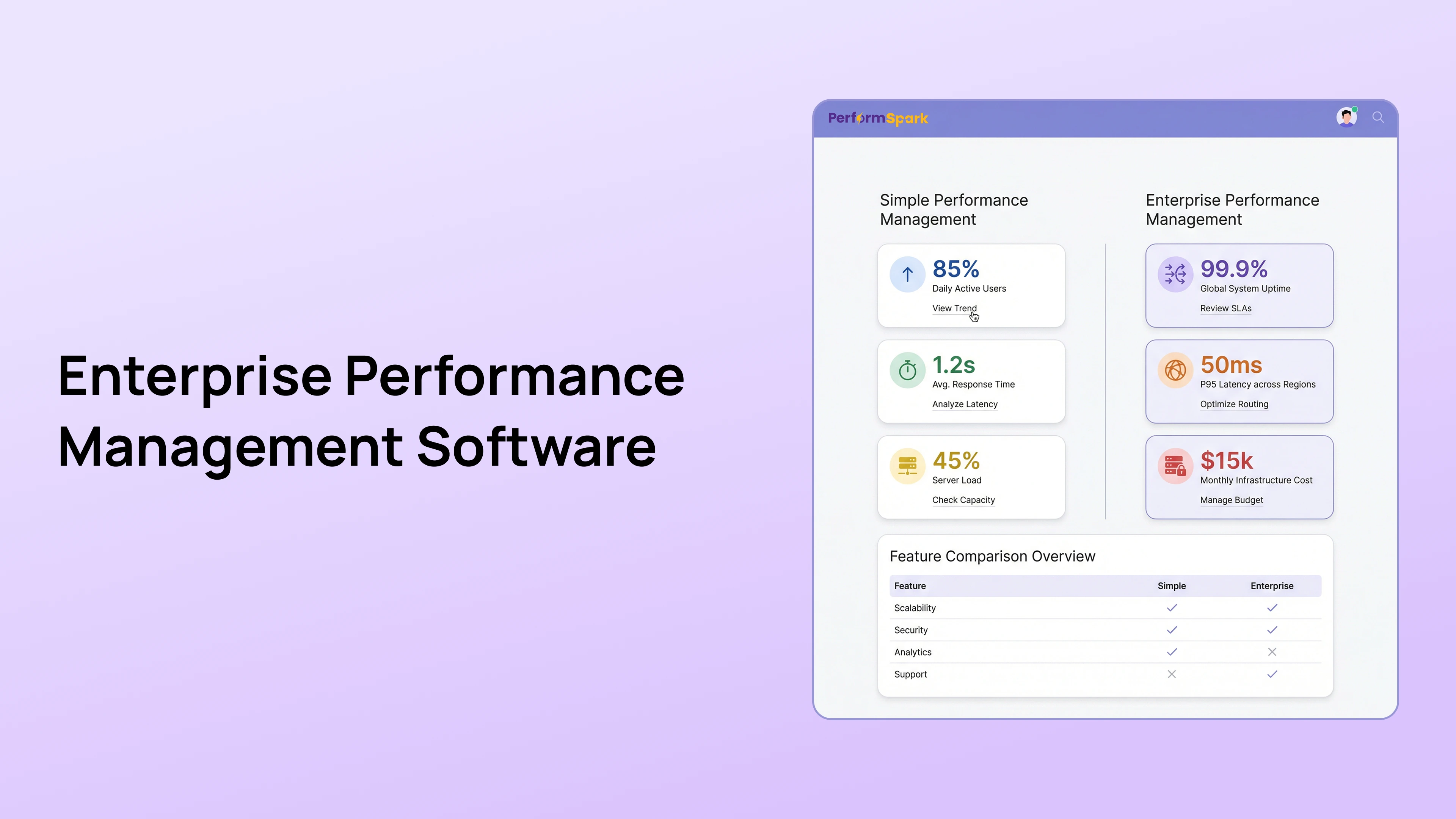
Table of Contents

Quick Takeaways: Simple vs. Enterprise Performance Software
- Compare lightweight tools, specialized performance platforms, and enterprise suites using process fit rather than a fixed employee-count rule.
- Specialized platforms can provide deeper performance workflows while the existing HRIS remains the employee system of record.
- Evaluate configuration, integrations, security, administration, implementation, and total cost for the actual product.
- The best category supports required workflows without creating unnecessary complexity.
Performance management software generally falls into three categories: lightweight tools, specialized performance platforms, and broad enterprise suites. None is automatically best. The right choice depends on process complexity, integration needs, governance, user capacity, implementation resources, and total cost.
A simple tool may be sufficient for basic reviews and goals. A specialized platform may provide deeper performance workflows without the scope of a full HCM suite. An enterprise suite may be appropriate when the organization needs one global technology program across many HR functions.
This guide compares the three approaches and helps HR decide which level of performance management software fits the current operating model.
Three Types of Performance Management Software
Lightweight performance tools
Lightweight tools focus on a limited set of functions, such as review forms, goals, feedback, or check-ins. They may be quick to understand and appropriate for a simple process.
They are most useful when:
- The review process has few templates and approval steps
- HR does not require complex calibration
- Reporting needs are limited
- Employee data can be managed through a simple integration or import
- The organization accepts separate tools for development, recognition, or formal improvement
Specialized performance management platforms
Specialized platforms focus on the full performance-management workflow without attempting to replace every HR system. They may connect performance reviews, goals, check-ins, feedback, calibration, development, improvement workflows, and reporting.
They are most useful when:
- Basic HRIS review functionality is too limited
- HR needs connected evidence across the year
- Ratings require cross-manager calibration
- Different employee groups need configurable workflows
- The organization wants deeper performance functionality without implementing a full enterprise HCM suite
Enterprise HCM suites
Enterprise suites cover multiple HR functions, which may include core HR, payroll, recruiting, learning, compensation, workforce planning, and performance. Performance management is one module within a broader technology environment.
They are most useful when:
- The organization is standardizing many HR functions globally
- Core HR and identity architecture drive the technology decision
- Complex governance, localization, and integration requirements span multiple modules
- The organization has implementation, administration, security, and change-management resources
- A consolidated vendor strategy is more important than depth in one workflow
Simple vs. Specialized vs. Enterprise Software
| Evaluation area | Lightweight tool | Specialized platform | Enterprise suite |
|---|---|---|---|
| Primary scope | One or a few performance activities | Connected performance-management cycle | Multiple HR functions across one suite |
| Configuration | Usually limited or focused | Designed for performance workflows | Potentially extensive, often governed centrally |
| Implementation | Lower scope when requirements are simple | Moderate scope based on workflows and integrations | Broader program with cross-module dependencies |
| Administration | May be manageable by a small HR team | Requires a performance process owner | May require multiple administrators and governance groups |
| Calibration | May be basic or unavailable | Often a core performance workflow | Varies by suite design and configuration |
| Integrations | Limited to common systems or imports | Focused on HRIS, identity, and workplace tools | Broad ecosystem with more dependencies |
| Reporting | Basic completion and export needs | Performance-specific dashboards and evidence views | Cross-module reporting with greater configuration needs |
| Total cost | Lower when the process remains simple | Focused cost for deeper performance capability | Potentially higher due to suite scope and services |
These are category tendencies, not guarantees. Buyers should verify the actual product, contract, implementation, and support model.
When a Lightweight Tool Is Enough
Choose a lightweight tool when the organization needs a straightforward process and accepts limited complexity. Typical requirements might include:
- One annual or semi-annual review template
- Employee and manager assessments
- Simple goals
- Basic reminders
- Completion tracking
- Standard exports
A lightweight tool may become restrictive when HR needs advanced permissions, several review populations, 360-degree reviews, calibration, connected development plans, or detailed reporting.
When a Specialized Performance Platform Fits
A specialized platform can be a strong fit when performance management needs more depth than an HRIS module but the organization does not need to replace core HR, payroll, or recruiting.
Evaluate whether the platform connects:
- Goal management
- Check-ins and 1-on-1s
- Feedback and recognition
- Review templates and ratings
- Performance calibration
- Individual development plans
- Performance improvement plans
- Reporting and analytics
The platform should integrate with the existing HRIS so employee status and reporting relationships remain current. Confirm every required field, sync behavior, and exception process.
When an Enterprise Suite Fits
An enterprise suite may be appropriate when the performance decision is part of a larger HR technology strategy. Examples include:
- Replacing several core HR systems
- Standardizing global employee data and processes
- Connecting performance with enterprise compensation, succession, or workforce planning
- Meeting complex procurement and technology-governance requirements
- Supporting multiple countries, entities, languages, or operating models through one program
The broader suite scope can also increase implementation and administration requirements. Evaluate whether the organization has the resources and governance needed to configure, test, train, and maintain the system.
Do Not Use Employee Count as the Only Decision Rule
A fixed headcount does not determine the right software category. Two organizations with the same number of employees may have very different needs.
Consider:
- Number of review populations
- Manager span and organizational layers
- Countries and legal entities
- Rating and calibration complexity
- Integration requirements
- Security and permission model
- Reporting and data needs
- HR administration capacity
- Frequency of organizational change
- Available implementation resources
The mid-market performance management page explains how growing organizations can balance governance with administrative capacity.
Configuration and Customization
Ask each vendor to distinguish between:
- Administrator configuration available in the product
- Vendor-assisted configuration
- Paid professional services
- Custom integrations
- Code-based customization
Lightweight tools may offer fewer configuration choices. Specialized platforms may provide deeper performance-specific configuration. Enterprise suites may support broad configuration but require stricter governance or specialist support.
The performance management software buyer guide includes a complete requirements and demo checklist.
Integration Architecture
Performance software typically needs accurate employee and manager information from the system of record. Confirm:
- Supported integrations
- Fields and objects included
- Sync direction and frequency
- Manager-change handling
- Termination and leave handling
- Error monitoring and ownership
- Identity and single sign-on requirements
- Data export requirements
An enterprise suite may reduce some cross-vendor integrations when multiple HR modules share a data model. A specialized platform may provide a stronger performance workflow while relying on an integration with the core HRIS. Buyers should compare the actual architecture rather than assuming one database always creates a better user process.
Security and Permissions
All categories should be evaluated against the organization's requirements. Review:
- Authentication
- Role-based access
- Field and response visibility
- Administrative permissions
- Data retention and deletion
- Exports and attachments
- Activity history
- Hosting and encryption information
- Subprocessors
- Incident response
- AI data handling
A specialized platform can support strong security controls, and an enterprise suite can still be configured poorly. Verify the product and implementation through the vendor's security documentation and the organization's review process.
AI Capabilities by Software Category
AI features may appear in lightweight, specialized, and enterprise products. Compare the actual use case rather than assuming larger software has stronger AI.
Evaluate:
- Which records the AI can access
- Whether users can inspect the source evidence
- How generated output is stored
- Whether the capability can be disabled
- Who verifies and approves the output
- Whether customer data is used for shared model training
- Which decisions remain human
The AI performance review software guide provides a detailed evaluation framework.
Compare Total Cost, Not Only License Price
Total cost may include:
- Subscription or suite licensing
- Minimum platform fees
- Implementation services
- Integration work
- Data migration
- Security and procurement effort
- Administrator training
- Manager and employee enablement
- Premium support
- Custom reports or development
- Internal administration
- Future module purchases
- Exit and migration requirements
Review PerformSpark pricing in the context of the required workflows. Compare every vendor using the same scope and time horizon.
Migration Considerations
Migration time depends on the current system, data quality, workflow complexity, integrations, security review, testing, and rollout approach. A switch from a simple tool is not always faster than an enterprise migration if the underlying data or process is unclear.
A controlled migration should include:
- Current-state workflow inventory
- Requirements and scope confirmation
- Employee and manager data cleanup
- Historical record decision
- Integration and permission design
- Template configuration
- Testing with representative users
- Manager and employee communication
- Pilot or phased rollout
- Post-launch validation
The rapid performance review launch guide explains how to limit first-cycle scope without skipping essential controls.
Decision Framework
Choose a lightweight tool when:
- The process is simple and expected to remain simple
- Basic reviews, goals, or feedback meet the need
- Advanced calibration and reporting are unnecessary
- HR has limited implementation capacity
Choose a specialized platform when:
- Performance workflows require more depth and connection
- The existing HRIS remains the employee system of record
- Calibration, development, PIPs, and reporting matter
- HR needs configuration without a broad HCM replacement
Choose an enterprise suite when:
- The organization is implementing a broader HR technology strategy
- Several HR modules and global processes must be standardized
- Cross-module governance is a primary requirement
- The organization has the resources to implement and maintain the suite
Questions to Ask Before the Final Decision
- Which current problems does the product solve?
- Which must-have workflows were demonstrated?
- What configuration can HR manage without vendor services?
- How will employee and manager data stay current?
- Which permissions and visibility rules are supported?
- How does calibration work with supporting evidence?
- How do review outcomes become development actions?
- What implementation work belongs to the customer?
- What is the complete cost over the planned contract period?
- How can the organization export data and leave the platform?
Choose Software That Fits the Operating Model
The most appropriate category is the one that supports required workflows without creating unnecessary implementation and administration burden.
PerformSpark is a focused performance platform that connects goals, check-ins, feedback, reviews, calibration, development, PIPs, notifications, and reporting while integrating with the organization's wider HR technology environment.
Book a personalized demo to compare PerformSpark with your current process and category requirements.



.svg)

.svg)
.svg)

