


Table of Contents
Choosing performance management software should begin with the decisions and workflows the organization needs to support, not with the longest feature list. Overbuying happens when a company pays for complexity it cannot implement or does not need. Underbuying happens when a simple tool cannot support required permissions, calibration, reporting, development, or growth.
The right platform should fit the current operating model, remove important manual work, and provide a realistic path for future needs without forcing HR into an enterprise transformation.
This guide provides a practical framework for selecting performance management software, including requirements, demonstrations, integrations, security, implementation, AI, total cost, and final scoring.
Start With the Business Problem
Before reviewing vendors, write down the problems the organization needs to solve. Examples include:
- Performance reviews are managed through spreadsheets and email
- Managers do not maintain regular check-ins
- Goals are disconnected from reviews
- HR cannot see review completion or rating distributions
- Calibration requires manual data consolidation
- Development actions are not tracked after reviews
- Permissions are difficult to manage
- The current HRIS performance module lacks required depth
- The organization is paying for unused enterprise functionality
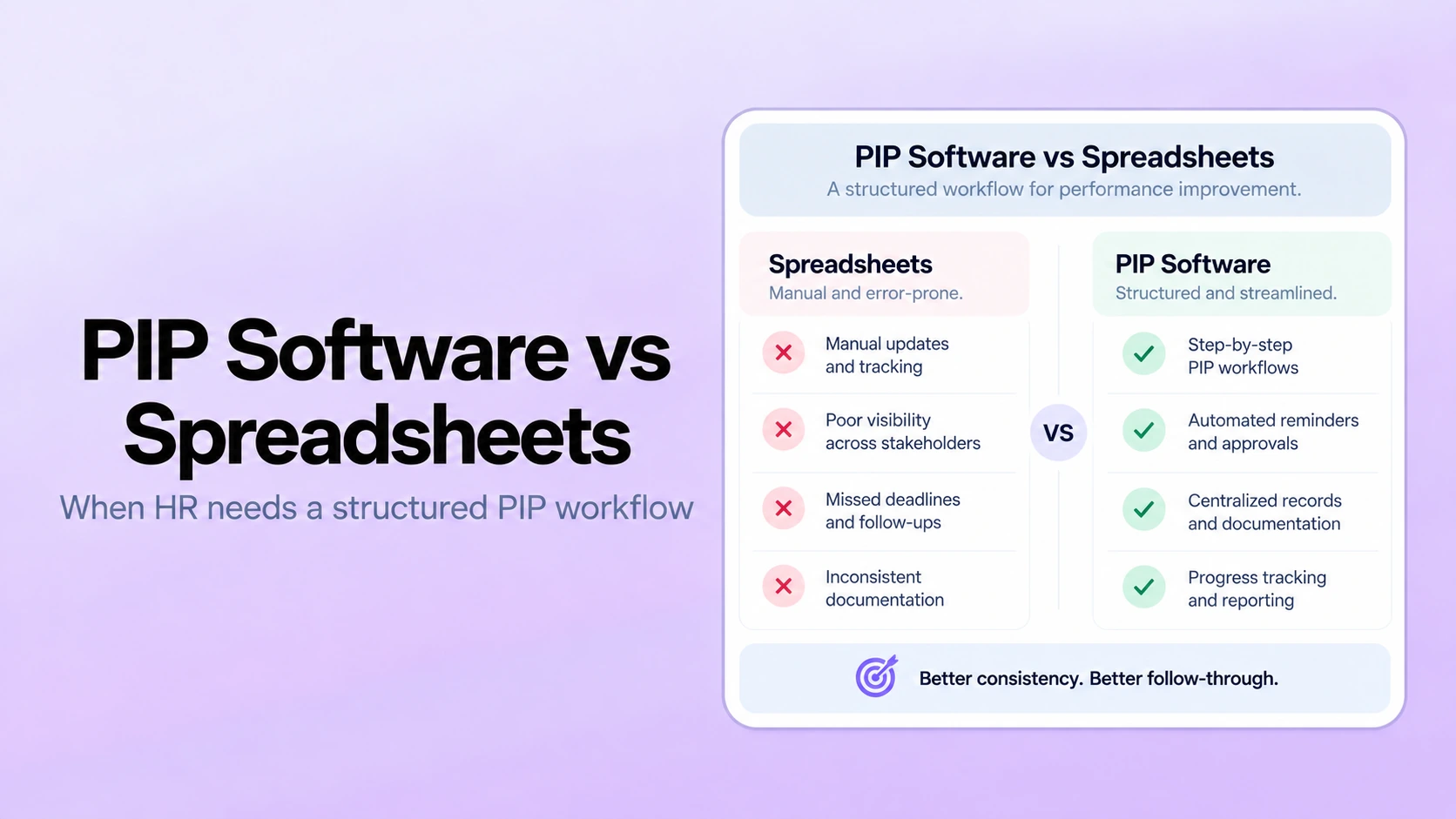
The spreadsheet reviews comparison can help identify where manual processes have stopped scaling.
Define Required Outcomes
Translate each problem into a measurable outcome. For example:
| Current problem | Required outcome |
|---|---|
| HR manually chases review submissions | Automated assignments, reminders, and completion visibility |
| Managers write reviews from memory | Goals, check-ins, and feedback visible during the review |
| Ratings vary without review | Distribution reporting and a controlled calibration workflow |
| Development actions disappear | Review outcomes connected to goals and development plans |
| Sensitive records are broadly shared | Role-based access and configurable response visibility |
These outcomes become the basis for vendor questions and the final scorecard.
Create Three Requirement Levels
Must have now
These capabilities are required for the first rollout. A vendor that cannot demonstrate them should not proceed.
Needed later
These capabilities are likely to be required within a defined planning period. Confirm that the platform supports them, but do not let future possibilities outweigh current usability.
Optional
These features may be helpful but do not justify the purchase by themselves. Optional features should not add substantial configuration, cost, or user burden.
Assigning every feature the same priority makes a large suite appear stronger even when its additional modules do not solve the current problem.
Core Performance Management Workflows to Evaluate
Performance reviews
Evaluate whether the platform supports the required review populations, templates, rating scales, self-assessments, manager reviews, peer input, approvals, employee delivery, and acknowledgments.
Ask the vendor to demonstrate a complete performance review cycle, not only the template builder.
Goals
Confirm whether goal management supports ownership, alignment, progress, evidence, dependencies, approved changes, and review visibility. Avoid buying complex goal functionality when the organization only needs clear employee and team goals.
Check-ins and 1-on-1s
Review agenda templates, recurring meetings, notes, action items, visibility, reminders, and connection to goals or development. The workflow should make 1-on-1 check-ins easier without turning every conversation into formal documentation.
Feedback and 360 reviews
Determine whether the organization needs lightweight feedback, structured surveys, or full 360-degree reviews. Ask how raters are selected, how confidentiality is handled, and how results are shared.
Calibration
When ratings support compensation, promotion, or broader talent decisions, evaluate the calibration workflow. The system should support distributions, evidence review, discussion, approved changes, and documentation without forcing a curve.
Development and performance improvement
Confirm that normal development can move into individual development plans and that formal performance improvement plans remain a distinct, controlled workflow.
Recognition and follow-up
When recognition is part of the operating model, evaluate whether employee recognition connects to meaningful contribution and whether review actions remain visible after the cycle closes.
Configuration vs. Custom Development
Configurable software allows an administrator to adjust templates, rating scales, questions, dates, permissions, notifications, and workflows through supported settings. Custom development changes the product through code, vendor services, or external integrations.
Ask:
- Which changes can HR administrators make directly?
- Which changes require vendor support?
- Which changes require paid professional services?
- How are configurations tested and moved into production?
- What happens to custom work during product updates?
- Can the platform support different populations without creating duplicate processes?
Mid-market organizations often benefit from configuration depth without the implementation burden of extensive customization. Review performance management for mid-market companies for the operational requirements of this segment.
Integration and Employee Data Requirements
List the systems and data fields required for launch. Common needs include:
- Employee status
- Manager relationship
- Department and business unit
- Job title and level
- Location
- Hire date
- Eligibility fields
- Single sign-on identity
During the demonstration, ask the vendor to explain:
- Which integrations are available
- Whether the connection is native, partner-delivered, or custom
- Which direction data moves
- How often data syncs
- How manager changes and terminations are handled
- What happens when records fail
- Who monitors and resolves integration errors
Do not assume that a vendor logo means every required field and workflow is supported.
Security, Privacy, and Access Control
Performance data can include sensitive feedback, ratings, development needs, and formal records. Review:
- Authentication options
- Role-based permissions
- Response and field visibility
- Administrative access
- Data encryption and hosting information
- Retention and deletion options
- Exports and attachments
- Activity history
- Incident response
- Subprocessors
- Customer data use in AI features
Use the vendor's security documentation as a starting point, then confirm the controls required by the organization's security, privacy, and legal teams.
Reporting and Analytics
Ask which questions HR must answer during and after a cycle. Useful reporting may include:
- Completion by stage, manager, team, and population
- Rating distributions
- Changes during calibration
- Goal status
- Check-in activity
- Development-plan status
- Workflow exceptions
- Exports for approved downstream processes
Reporting and analytics should allow HR to investigate the source information. A dashboard should not present an unexplained score as the final conclusion.
How to Evaluate AI Features
Ask what the AI does, which records it can access, how users verify its output, and which decisions remain human. Separate:
- Writing assistance
- Evidence summarization
- Feedback-quality prompts
- Rating-distribution analysis
- Calibration preparation
- Workflow insights
The AI performance review software guide provides a detailed evaluation checklist. Do not purchase an AI feature based only on a generated demonstration using sample data.
Implementation and Adoption Requirements
Implementation effort depends on process design, employee data, integrations, permissions, testing, training, and rollout scope. Ask the vendor to provide a plan with:
- Customer and vendor responsibilities
- Data preparation requirements
- Integration dependencies
- Configuration workshops
- Security review
- Testing and acceptance
- Administrator training
- Manager and employee communication
- Pilot and rollout support
- Post-launch review
The rapid performance review launch guide explains how limited scope can reduce launch time without skipping critical controls.
Calculate the Total Cost of Ownership
Compare more than the subscription price. Include:
- Software licenses
- Minimum contract or platform fees
- Implementation services
- Integration fees
- Premium support
- Administrator time
- Manager training
- Custom configuration or development
- Data migration
- Future module costs
- Contract increases and renewal terms
- Exit and data-export requirements
Review PerformSpark pricing alongside the required scope. A lower initial price may not be less expensive if key workflows require separate tools or manual work. A larger suite may not provide better value if most modules are unused.
Performance Management Software Demo Checklist
Ask the vendor to demonstrate these scenarios using a realistic workflow:
- Create a review template and rating scale.
- Assign self and manager reviews to a sample population.
- Show what the employee, manager, approver, and HR administrator can see.
- Change an employee's manager during the cycle.
- Display goals and check-in evidence inside the review.
- Send reminders and monitor completion.
- Prepare a calibration view and open supporting evidence.
- Approve and document a rating change.
- Deliver the final review to the employee.
- Create a development action from the review.
- Run reports and export approved data.
- Show permission, retention, and AI settings.
Use a Weighted Buyer Scorecard
| Category | Example weight | What to score |
|---|---|---|
| Required workflows | 25% | Reviews, goals, check-ins, calibration, development |
| Usability and administration | 15% | Employee, manager, HR, and configuration experience |
| Data and integrations | 15% | Required systems, fields, sync, exception handling |
| Security and permissions | 15% | Authentication, access, visibility, retention, controls |
| Reporting | 10% | Completion, ratings, evidence, exports, investigations |
| Implementation and support | 10% | Plan, responsibilities, training, testing, support |
| Total cost | 10% | Subscription, services, integrations, internal effort |
Adjust the weights to match the organization's priorities. Require evidence from the demo, documentation, reference checks, or pilot instead of scoring vendor promises alone.
Common Software Buying Mistakes
- Starting with vendor demonstrations before defining requirements
- Buying a large feature set for hypothetical future needs
- Selecting the cheapest tool without calculating manual work
- Assuming an HRIS module automatically fits the review process
- Ignoring permissions and employee visibility
- Accepting integration or AI claims without a detailed demonstration
- Underestimating manager training and adoption
- Skipping data cleanup and testing
- Choosing software without an owner for ongoing administration
Choose the Right Level of Software
The simple vs. enterprise performance management software comparison explains how lightweight tools, specialized platforms, and enterprise suites differ.
PerformSpark connects goals, check-ins, feedback, reviews, calibration, development, PIPs, notifications, and reporting in one focused platform.
Book a personalized demo and use your must-have requirements and sample workflow to evaluate fit.
Quick Takeaways: Choosing Performance Management Software
- Define the business problem, required outcomes, and must-have workflows before viewing vendor demonstrations.
- Evaluate configuration, integrations, permissions, reporting, implementation, AI, and total cost, not only the feature list.
- Require vendors to demonstrate realistic employee, manager, HR, calibration, and development scenarios.
- Use a weighted scorecard based on verified evidence and current operating needs.
Choosing performance management software should begin with the decisions and workflows the organization needs to support, not with the longest feature list. Overbuying happens when a company pays for complexity it cannot implement or does not need. Underbuying happens when a simple tool cannot support required permissions, calibration, reporting, development, or growth.
The right platform should fit the current operating model, remove important manual work, and provide a realistic path for future needs without forcing HR into an enterprise transformation.
This guide provides a practical framework for selecting performance management software, including requirements, demonstrations, integrations, security, implementation, AI, total cost, and final scoring.
Start With the Business Problem
Before reviewing vendors, write down the problems the organization needs to solve. Examples include:
- Performance reviews are managed through spreadsheets and email
- Managers do not maintain regular check-ins
- Goals are disconnected from reviews
- HR cannot see review completion or rating distributions
- Calibration requires manual data consolidation
- Development actions are not tracked after reviews
- Permissions are difficult to manage
- The current HRIS performance module lacks required depth
- The organization is paying for unused enterprise functionality
The spreadsheet reviews comparison can help identify where manual processes have stopped scaling.
Define Required Outcomes
Translate each problem into a measurable outcome. For example:
| Current problem | Required outcome |
|---|---|
| HR manually chases review submissions | Automated assignments, reminders, and completion visibility |
| Managers write reviews from memory | Goals, check-ins, and feedback visible during the review |
| Ratings vary without review | Distribution reporting and a controlled calibration workflow |
| Development actions disappear | Review outcomes connected to goals and development plans |
| Sensitive records are broadly shared | Role-based access and configurable response visibility |
These outcomes become the basis for vendor questions and the final scorecard.
Create Three Requirement Levels
Must have now
These capabilities are required for the first rollout. A vendor that cannot demonstrate them should not proceed.
Needed later
These capabilities are likely to be required within a defined planning period. Confirm that the platform supports them, but do not let future possibilities outweigh current usability.
Optional
These features may be helpful but do not justify the purchase by themselves. Optional features should not add substantial configuration, cost, or user burden.
Assigning every feature the same priority makes a large suite appear stronger even when its additional modules do not solve the current problem.
Core Performance Management Workflows to Evaluate
Performance reviews
Evaluate whether the platform supports the required review populations, templates, rating scales, self-assessments, manager reviews, peer input, approvals, employee delivery, and acknowledgments.
Ask the vendor to demonstrate a complete performance review cycle, not only the template builder.
Goals
Confirm whether goal management supports ownership, alignment, progress, evidence, dependencies, approved changes, and review visibility. Avoid buying complex goal functionality when the organization only needs clear employee and team goals.
Check-ins and 1-on-1s
Review agenda templates, recurring meetings, notes, action items, visibility, reminders, and connection to goals or development. The workflow should make 1-on-1 check-ins easier without turning every conversation into formal documentation.
Feedback and 360 reviews
Determine whether the organization needs lightweight feedback, structured surveys, or full 360-degree reviews. Ask how raters are selected, how confidentiality is handled, and how results are shared.
Calibration
When ratings support compensation, promotion, or broader talent decisions, evaluate the calibration workflow. The system should support distributions, evidence review, discussion, approved changes, and documentation without forcing a curve.
Development and performance improvement
Confirm that normal development can move into individual development plans and that formal performance improvement plans remain a distinct, controlled workflow.
Recognition and follow-up
When recognition is part of the operating model, evaluate whether employee recognition connects to meaningful contribution and whether review actions remain visible after the cycle closes.
Configuration vs. Custom Development
Configurable software allows an administrator to adjust templates, rating scales, questions, dates, permissions, notifications, and workflows through supported settings. Custom development changes the product through code, vendor services, or external integrations.
Ask:
- Which changes can HR administrators make directly?
- Which changes require vendor support?
- Which changes require paid professional services?
- How are configurations tested and moved into production?
- What happens to custom work during product updates?
- Can the platform support different populations without creating duplicate processes?
Mid-market organizations often benefit from configuration depth without the implementation burden of extensive customization. Review performance management for mid-market companies for the operational requirements of this segment.
Integration and Employee Data Requirements
List the systems and data fields required for launch. Common needs include:
- Employee status
- Manager relationship
- Department and business unit
- Job title and level
- Location
- Hire date
- Eligibility fields
- Single sign-on identity
During the demonstration, ask the vendor to explain:
- Which integrations are available
- Whether the connection is native, partner-delivered, or custom
- Which direction data moves
- How often data syncs
- How manager changes and terminations are handled
- What happens when records fail
- Who monitors and resolves integration errors
Do not assume that a vendor logo means every required field and workflow is supported.
Security, Privacy, and Access Control
Performance data can include sensitive feedback, ratings, development needs, and formal records. Review:
- Authentication options
- Role-based permissions
- Response and field visibility
- Administrative access
- Data encryption and hosting information
- Retention and deletion options
- Exports and attachments
- Activity history
- Incident response
- Subprocessors
- Customer data use in AI features
Use the vendor's security documentation as a starting point, then confirm the controls required by the organization's security, privacy, and legal teams.
Reporting and Analytics
Ask which questions HR must answer during and after a cycle. Useful reporting may include:
- Completion by stage, manager, team, and population
- Rating distributions
- Changes during calibration
- Goal status
- Check-in activity
- Development-plan status
- Workflow exceptions
- Exports for approved downstream processes
Reporting and analytics should allow HR to investigate the source information. A dashboard should not present an unexplained score as the final conclusion.
How to Evaluate AI Features
Ask what the AI does, which records it can access, how users verify its output, and which decisions remain human. Separate:
- Writing assistance
- Evidence summarization
- Feedback-quality prompts
- Rating-distribution analysis
- Calibration preparation
- Workflow insights
The AI performance review software guide provides a detailed evaluation checklist. Do not purchase an AI feature based only on a generated demonstration using sample data.
Implementation and Adoption Requirements
Implementation effort depends on process design, employee data, integrations, permissions, testing, training, and rollout scope. Ask the vendor to provide a plan with:
- Customer and vendor responsibilities
- Data preparation requirements
- Integration dependencies
- Configuration workshops
- Security review
- Testing and acceptance
- Administrator training
- Manager and employee communication
- Pilot and rollout support
- Post-launch review
The rapid performance review launch guide explains how limited scope can reduce launch time without skipping critical controls.
Calculate the Total Cost of Ownership
Compare more than the subscription price. Include:
- Software licenses
- Minimum contract or platform fees
- Implementation services
- Integration fees
- Premium support
- Administrator time
- Manager training
- Custom configuration or development
- Data migration
- Future module costs
- Contract increases and renewal terms
- Exit and data-export requirements
Review PerformSpark pricing alongside the required scope. A lower initial price may not be less expensive if key workflows require separate tools or manual work. A larger suite may not provide better value if most modules are unused.
Performance Management Software Demo Checklist
Ask the vendor to demonstrate these scenarios using a realistic workflow:
- Create a review template and rating scale.
- Assign self and manager reviews to a sample population.
- Show what the employee, manager, approver, and HR administrator can see.
- Change an employee's manager during the cycle.
- Display goals and check-in evidence inside the review.
- Send reminders and monitor completion.
- Prepare a calibration view and open supporting evidence.
- Approve and document a rating change.
- Deliver the final review to the employee.
- Create a development action from the review.
- Run reports and export approved data.
- Show permission, retention, and AI settings.
Use a Weighted Buyer Scorecard
| Category | Example weight | What to score |
|---|---|---|
| Required workflows | 25% | Reviews, goals, check-ins, calibration, development |
| Usability and administration | 15% | Employee, manager, HR, and configuration experience |
| Data and integrations | 15% | Required systems, fields, sync, exception handling |
| Security and permissions | 15% | Authentication, access, visibility, retention, controls |
| Reporting | 10% | Completion, ratings, evidence, exports, investigations |
| Implementation and support | 10% | Plan, responsibilities, training, testing, support |
| Total cost | 10% | Subscription, services, integrations, internal effort |
Adjust the weights to match the organization's priorities. Require evidence from the demo, documentation, reference checks, or pilot instead of scoring vendor promises alone.
Common Software Buying Mistakes
- Starting with vendor demonstrations before defining requirements
- Buying a large feature set for hypothetical future needs
- Selecting the cheapest tool without calculating manual work
- Assuming an HRIS module automatically fits the review process
- Ignoring permissions and employee visibility
- Accepting integration or AI claims without a detailed demonstration
- Underestimating manager training and adoption
- Skipping data cleanup and testing
- Choosing software without an owner for ongoing administration
Choose the Right Level of Software
The simple vs. enterprise performance management software comparison explains how lightweight tools, specialized platforms, and enterprise suites differ.
PerformSpark connects goals, check-ins, feedback, reviews, calibration, development, PIPs, notifications, and reporting in one focused platform.
Book a personalized demo and use your must-have requirements and sample workflow to evaluate fit.
Frequently Asked Questions
What is the difference between configurable and customizable performance software?
Configurable software lets administrators change supported settings such as templates, rating scales, questions, dates, permissions, and workflows. Customizable software requires code, vendor services, or custom integrations. Buyers should confirm which changes HR can manage directly and which create ongoing cost or upgrade risk.
How should buyers evaluate HRIS and workplace integrations?
Confirm the exact system, fields, sync direction, frequency, authentication, error handling, ownership, and additional cost. Test employee status, manager relationships, departments, eligibility, and permission effects rather than relying on a vendor logo or general integration claim.
How should companies evaluate AI in performance management software?
Evaluate each AI use case separately, including its data sources, output, evidence traceability, permissions, human-review controls, storage, and ability to disable the feature. AI should support preparation and analysis without independently making ratings or employment decisions.
How long does performance management software implementation take?
The timeline depends on process complexity, employee data, integrations, permissions, security review, testing, training, and rollout scope. Ask each vendor for a requirements-based plan that separates customer and vendor responsibilities instead of relying on a generic timeline.
How should a company calculate the value of performance management software?
Use actual internal data for HR administration, manager effort, manual reporting, calibration preparation, access issues, separate tools, and development follow-up. Compare those costs and process risks with subscription, implementation, integration, training, support, and administration costs.


.webp)