
.svg)





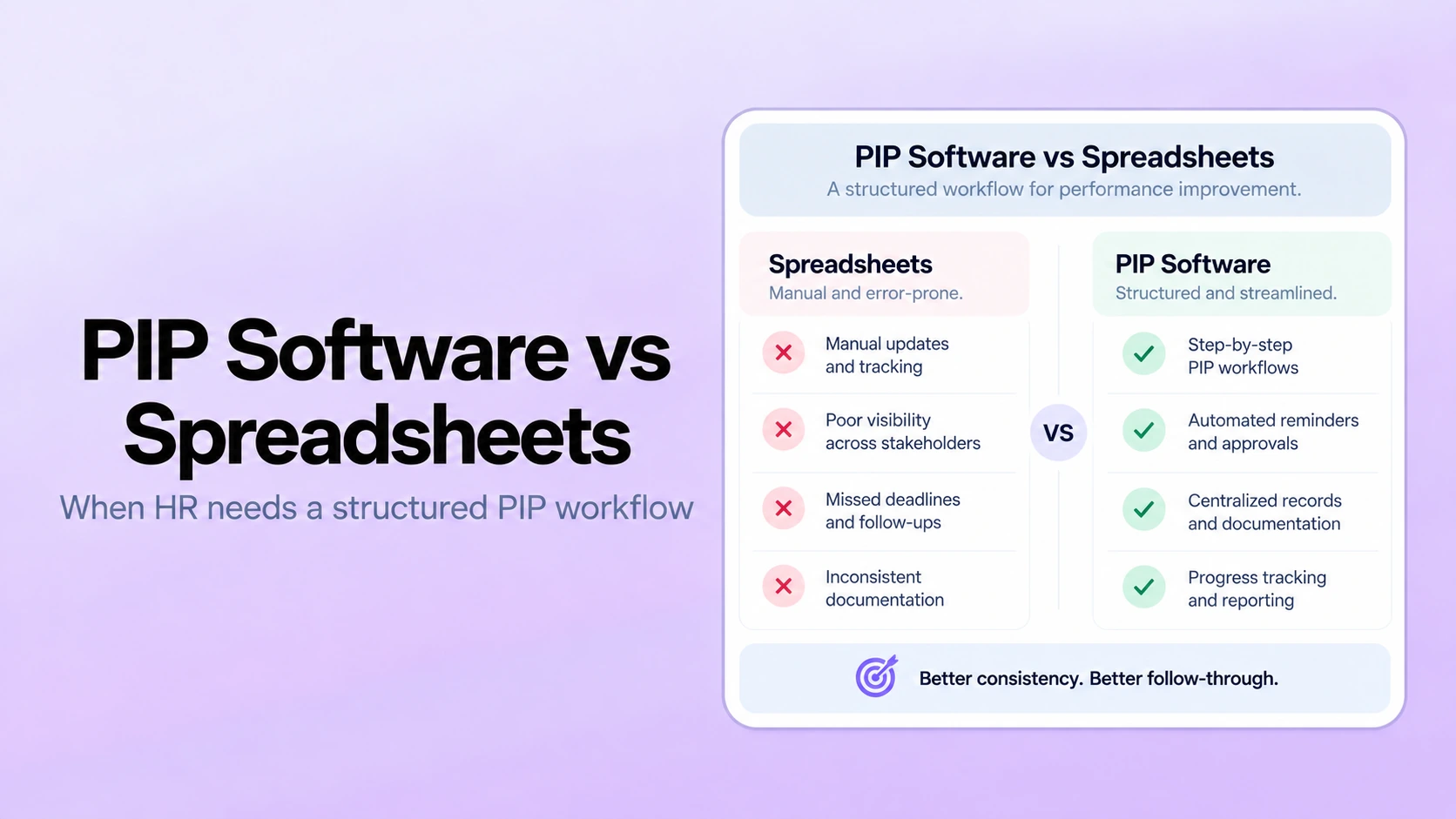
Table of Contents

Key Takeaways:
- Spreadsheets can work when PIP volume is low, ownership is centralized, and HR can reliably control the process.
- The migration trigger is workflow complexity: multiple owners, missed milestones, version problems, fragmented evidence, or recurring manual reporting.
- A structured system should reduce coordination work rather than simply recreate the spreadsheet on a new screen.
- PerformSpark can be evaluated as a connected performance layer linking PIP workflows with reviews, goals, check-ins, development, reporting, notifications, integrations, and assistive AI.
- Software should organize the workflow and evidence while HR and managers remain accountable for employment decisions.
Spreadsheets can be a perfectly reasonable way to track a small number of performance improvement plans. They are familiar, flexible, and quick to set up. The problem starts when the spreadsheet becomes the workflow rather than a simple tracker.
Once several managers, milestones, supporting records, review dates, and HR stakeholders are involved, the work shifts from “keeping a list” to governing a sensitive process. At that point, version control, permissions, reminders, documented follow-through, and portfolio visibility become more important than the convenience of rows and columns.
This guide stays focused on that decision: when is a spreadsheet still enough, and when does HR need a structured PIP workflow? It does not replace your organization's HR, policy, or legal review of any individual employment decision.
Quick Answer: PIP Software vs. Spreadsheets
A spreadsheet is usually enough when PIP volume is low, one HR owner can manage every milestone, access is simple, and supporting evidence is stored appropriately elsewhere. A structured workflow becomes more useful when several managers or HR partners must coordinate plans, deadlines are slipping, versions are hard to reconcile, or leadership needs reliable status reporting.
The trigger is not a fixed employee-count threshold. A 200-person company with several concurrent plans and decentralized managers may need more structure than a 2,000-person company that rarely uses PIPs and manages them centrally.
Spreadsheet Tracking vs. a Governed PIP Workflow
| Workflow Need | Spreadsheet Tracking | Structured PIP Workflow | What to Test in PerformSpark |
|---|---|---|---|
| Plan ownership | Owner is recorded manually | Responsibilities are explicit in the workflow | How HR and managers see who owns the next action |
| Objectives and milestones | Dates and notes live in cells | Objectives and review points stay inside the plan process | How PIP objectives and milestones are created and followed |
| Manager follow-through | HR often relies on calendar reminders and chasing | Recurring actions can be surfaced as workflow work | How check-ins and notifications support follow-through |
| Performance context | Evidence is usually spread across files and systems | Relevant records can be reviewed in a connected performance process | How reviews and goals remain available as context |
| Development follow-up | Often maintained in a separate document | Development actions can continue after the formal plan | How development plans connect to later follow-through |
| Reporting | Manual filters and status fields | HR can review workflow status across active cases | What reporting and analytics answer for PIP oversight |
| HR stack connection | Imports and manual updates are common | Employee and organization data can stay connected | Which integration workflows and integrations fit your stack |
When a Spreadsheet Is Still the Better Choice
Do not replace a spreadsheet simply because software exists. A controlled tracker can remain appropriate when only a few plans are active, HR owns every milestone, the access model is simple, and reporting needs are limited to basic status.
In that setup, the spreadsheet should behave like an index rather than the complete employee record. Detailed evidence, sensitive notes, and other records should remain in the systems and locations your organization has approved for that information.
The practical test is administrative effort. If HR can confidently answer “Which plans are active, what happens next, who owns it, and where is the supporting record?” without chasing several people or reconciling files, the spreadsheet may still be doing its job.
Where Spreadsheet-Based PIP Tracking Starts to Break Down
Version control becomes part of the risk
The first warning sign is usually not the number of rows. It is the number of copies. Once managers download, email, duplicate, or locally edit trackers, HR can lose confidence in which version reflects the current plan.
Milestones depend on manual chasing
A date in a cell does not make the meeting happen. If HR is repeatedly reminding managers to hold progress reviews, capture evidence, or update the next action, the tracker is no longer reducing work.
Permissions get harder as ownership spreads
PIP records can contain sensitive performance information. A sharing model that works for one HR owner can become awkward when several managers and HR partners need different levels of access.
Evidence is scattered across the performance stack
A plan rarely exists in isolation. Prior performance reviews, current goals, manager check-ins, and relevant feedback may all provide context. When that evidence lives in several disconnected places, HR spends more time reconstructing the record.
Execution varies by manager
One manager may document support, meetings, and employee comments carefully. Another may record only the final status. A governed workflow can make required steps more visible without deciding the outcome for the manager or HR.
Leadership needs a reliable portfolio view
Spreadsheets can count active plans, but reporting gets less dependable when managers use different status labels, skip fields, or update dates inconsistently. That is when workflow reporting becomes operationally valuable rather than merely convenient.
What Changes When HR Moves Beyond a Spreadsheet
The point of software is not to reproduce the spreadsheet on a prettier screen. It should reduce the coordination work around the process. That generally means clearer ownership, repeatable stages, scheduled review points, appropriate access, a visible record of follow-through, and enough reporting for HR to oversee the process without manually rebuilding it.
For a broader product-selection framework, use the PIP management software buyer guide. For the underlying process itself, use the performance improvement plan guide. This article stays focused on the migration decision between spreadsheets and a governed workflow.
How PerformSpark Fits a Governed PIP Process
PerformSpark is most relevant when a PIP needs to sit inside the same performance environment managers and HR already use for reviews, goals, recurring conversations, and reporting. The value is not simply replacing rows with form fields. It is reducing the number of manual handoffs around the plan.
Start with the dedicated PIP workflow
The Performance Improvement Plans workflow is the anchor. Use the demo to test how the plan is created, how objectives and milestones are represented, how progress is reviewed, and how HR oversees the process. Bring a sanitized version of your current spreadsheet so the vendor has to reproduce the workflow you actually run.
Keep review history available as context
When a PIP follows an existing performance pattern, prior review history can matter. The useful question is not whether the system stores reviews, but whether HR and the manager can get to relevant historical context without copying it into a new tracker.
Connect expectations to current goals
Goal management can help distinguish ongoing role or business expectations from the specific objectives documented in a PIP. During evaluation, test how managers can reference current goals without turning every goal into a disciplinary measure.
Use check-ins for scheduled progress conversations
Check-ins and 1-on-1s are useful when the plan includes recurring progress conversations. The key buyer test is follow-through: can the manager prepare for the meeting, record agreed actions, and return to the history at the next milestone without maintaining a second document?
Separate PIP work from development work when appropriate
A performance improvement plan and an individual development plan are not the same thing. A PIP addresses a defined performance-support process; an IDP is broader development planning. A connected system can support both without collapsing them into one workflow.
Use reporting to manage the process, not predict the outcome
Reporting and analytics should help HR answer process questions: which plans are active, which reviews are due, where follow-up is stalled, and what requires attention. It should not turn a dashboard score into an automatic employment decision.
Support follow-through with notifications
Smart notifications matter when the spreadsheet problem is really a follow-up problem. Test which actions can be surfaced to managers and HR and how overdue work is handled in the workflow.
Keep the performance layer connected to the HR stack
PerformSpark is positioned as a performance management layer, not a replacement for every HR system. Review the integration approach and available integrations to decide how employee and organizational data will stay aligned with the systems you already use.
Evaluate TrAI with the right governance standard
TrAI, PerformSpark's assistive AI layer, should be evaluated as support for HR and manager work, not as an automated decision-maker. Ask what information an AI feature can access, how a person reviews the output, and where accountability remains before the output becomes part of an employee record or action.
Bring the Spreadsheet You Use Today
Test Whether PerformSpark Removes the Manual PIP Work
Use your current stages, milestones, manager follow-ups, reporting questions, and HR oversight requirements as the demo script.
A Practical Migration Trigger Checklist
Moving beyond spreadsheets is worth evaluating when several of these are true:
- HR cannot quickly identify the current version of every active plan.
- Milestone meetings or follow-up actions are frequently late.
- Managers maintain separate trackers or supporting documents.
- Access requires repeated manual sharing changes.
- Plan objectives and support commitments are recorded inconsistently.
- HR spends material time chasing status updates.
- Evidence is fragmented across reviews, goals, email, documents, and spreadsheets.
- Leadership needs a consistent view of active plans and overdue actions.
- Approved changes are difficult to trace.
- The organization wants one repeatable workflow across teams.
How to Move from a Spreadsheet to a Governed Workflow
1. Standardize the process before migrating it
Define the stages, required fields, owners, review points, and closure process first. Software will not fix an unclear PIP process.
2. Separate tracker data from sensitive evidence
Classify what is simple status data and what is detailed performance evidence. Decide what should migrate, what should remain in another approved system, and what should not be copied at all.
3. Define permissions before configuration
Document what HR, managers, employees, and administrators should be able to see and update. Avoid giving broad access simply because it is easier to configure.
4. Pilot the workflow with representative scenarios
Test plan creation, manager updates, review milestones, reminders, comments or acknowledgments where applicable, and closure. Include at least one realistic exception so you can see how the workflow behaves when the process does not go perfectly.
5. Validate the reports HR actually needs
Make the vendor answer your real operating questions: which plans are active, what is overdue, who owns the next action, and whether required reviews occurred. If those answers still require manual consolidation, the migration has not removed the spreadsheet problem.
Questions to Use in the Demo
- How are required plan stages, objectives, and milestone reviews represented?
- How do manager and HR responsibilities stay visible?
- How is access handled for sensitive performance records?
- How are reminders and overdue actions surfaced?
- How can prior reviews, goals, and check-ins be used as context without duplicating data?
- How are changes to dates or objectives handled?
- Which process reports can HR run across active plans?
- Can records be exported in a usable format?
- How are AI-assisted features kept under human review?
- What implementation and migration work belongs to the customer?
For a wider vendor-selection process, pair these questions with the performance management software RFP checklist.
When the Broader Performance Platform Matters
If the PIP is the only workflow that needs structure, choose the smallest system that solves that problem. If the same managers are also struggling with disconnected reviews, goals, coaching, feedback, development, and reporting, it may be more efficient to evaluate the PIP as part of a wider performance management platform.
That is where the comparison should move beyond “spreadsheet versus software” and into operating model, integration effort, adoption, governance, and total cost. Review PerformSpark pricing alongside the process and implementation requirements rather than comparing only the headline subscription.
Build a PIP Process HR Can Govern
A spreadsheet is still the right tool when it gives HR reliable control with little administrative effort. Software becomes more valuable when the process needs coordination across people, time, systems, and reporting.
For PerformSpark, the buyer test is simple: can the platform replace the manual handoffs in your current PIP process while keeping managers and HR accountable for the case-specific judgment?
Run Your Current PIP Process Through PerformSpark
Bring a sanitized version of your spreadsheet and test the workflow from plan setup through milestones, manager follow-up, reporting, and closure.
Book a PerformSpark demo




.svg)

.svg)
.svg)