
.svg)





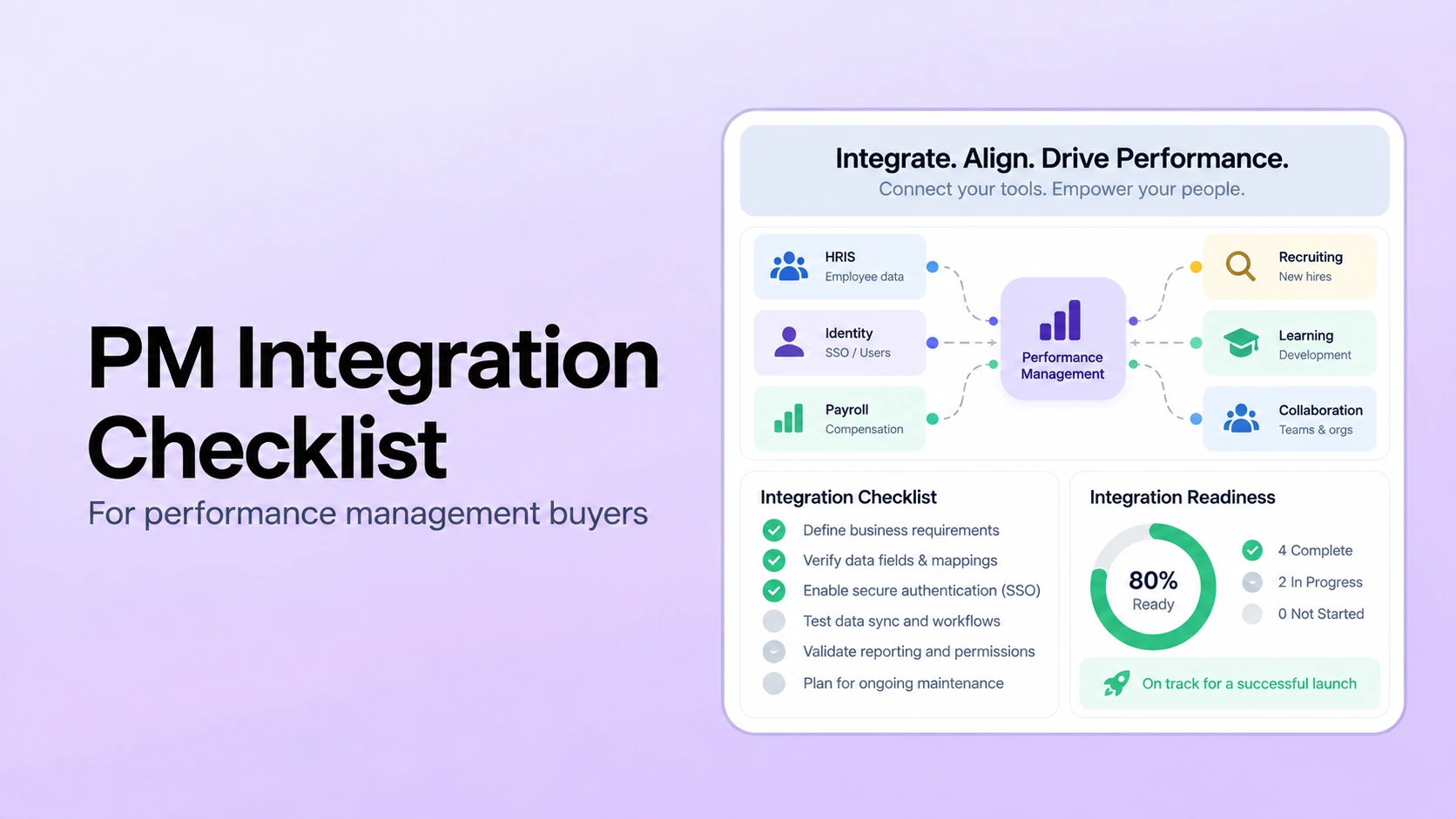
Table of Contents

Key Takeaways:
- Define the employee system of record and field ownership before evaluating connector technology.
- One-way synchronization can be correct; real-time and bidirectional sync are requirements only when the workflow justifies them.
- Test lifecycle events, permissions, failed records, recovery, and exports, not just a successful first import.
- Separate SSO from user provisioning and make required identity controls explicit in the RFP.
- Include implementation, middleware, support, internal IT time, maintenance, and exit requirements in total integration cost.
A performance management software integration checklist should start with the system of record, not with a list of logos. Before signing a contract, HR and IT should confirm which system owns employee identity and manager relationships, which fields must move, the direction and frequency of each sync, how lifecycle changes are handled, what authentication and provisioning controls are required, who owns errors, how data can be exported, and what the integration costs to operate.
Not every organization needs real-time, bidirectional sync, payroll integration, or SCIM. The right architecture depends on the workflow. In many environments, the HRIS remains the authoritative source for employee and manager data while the performance platform consumes only the fields it needs. The important requirement is that every data flow has a defined source, destination, owner, timing rule, and recovery process.
If you are still defining the broader buying criteria, use this performance management software selection guide alongside the integration checklist below.
HR Software Integration Checklist at a Glance
| Decision area | What to define | What to test | Warning sign |
|---|---|---|---|
| System of record | Which system owns employee identity, manager, department, job, location, and employment status | Change one source record and trace where it appears | Two systems can overwrite the same field without a clear authority rule |
| Field map | Exact required and optional fields, formats, IDs, and transformations | Map five representative employee records including edge cases | The vendor only confirms a connector name, not supported fields |
| Sync direction | One-way or two-way flow for each object | Trace create, update, and deactivation behavior | “Bidirectional” is promised without field-level rules |
| Sync frequency | Batch, scheduled, event-driven, or manual timing by data type | Test a manager change and a termination | No defined service expectation for when changes appear |
| Identity and access | SSO, MFA, provisioning, deprovisioning, and role-based access requirements | Test employee, manager, HR, and former-manager access | Access removal depends on an undocumented manual step |
| Error handling | Retries, rejected records, alerts, logs, ownership, and escalation | Intentionally send one invalid record | Failed records disappear without a visible error trail |
| Exports and APIs | Required outbound data, format, frequency, and API access | Export approved review and goal data | Important data is available only in a proprietary dashboard |
| Security and retention | Encryption, permissions, auditability, retention, deletion, and incident process | Review the vendor's security evidence with IT or security | Security answers rely on sales language instead of documented controls |
| Ownership and cost | Implementation owner, maintenance owner, support scope, fees, and change process | Price one real integration scenario | The contract does not say who maintains the integration after launch |
1. Start With the Employee System of Record
The first integration decision is architectural: which system is authoritative for employee identity and organizational structure? In most performance-management deployments, the HRIS or HCM remains the system of record for fields such as employee ID, legal or preferred name, manager, department, job title, location, hire date, and employment status.
The performance platform should not independently become authoritative for those fields unless the organization deliberately designs it that way. Otherwise, HR can end up with competing records and the same shadow HR data risks that software was supposed to remove.
Document the owner of every field before discussing sync technology. A simple field map is more useful than a generic “HRIS integration available” statement.
2. Define the Minimum Data Set Before You Discuss Connectors
Do not sync every available field just because the connector can. Start with the minimum data required to run the performance workflow. That usually includes a stable employee identifier, name, work email, manager, department or team, employment status, and any attributes needed for eligibility, reporting, or permissions.
Then add only the fields required by the actual process. For example, a review cycle may need job title or location, while a goal workflow may not. The same discipline helps when evaluating performance reviews, goal management, 1-on-1s and check-ins, and feedback workflows.
Ask the vendor to provide the supported field list for your exact connector, including required identifiers, custom-field support, date formats, enumerations, and any transformation rules.
3. Confirm Sync Direction and Frequency by Object
“Two-way integration” is not automatically better than one-way integration. If the HRIS owns employee and manager data, one-way HRIS-to-performance synchronization can be the cleaner design. Two-way writes make sense only when the receiving system is intentionally allowed to update the source record and the organization has clear conflict rules.
Document sync direction at the field or object level, not just at the system level. Also define timing. A nightly batch may be sufficient for many performance workflows. Faster updates may matter for high-volume hiring, frequent reorganizations, short review windows, or access-sensitive events. The requirement should come from the operating risk, not from a generic preference for “real time.”
The integration section of this employee performance tracking software checklist uses the same principle: test a hire, manager transfer, leave, termination, and synchronization error rather than relying on a successful first import.
4. Test Employee Lifecycle Events, Not Just the Happy Path
The most important integration failures often appear after implementation. Test what happens when:
- A new employee is created.
- An employee changes manager.
- A department or business-unit assignment changes.
- An employee goes on leave.
- An employee is terminated or deactivated.
- A duplicate or malformed identifier is sent.
- A source field is blank, removed, or changed in format.
For each event, define the expected behavior in the performance platform. Should an active review be reassigned? Should a former manager retain historical access? Should a terminated employee disappear from future cycles while approved records remain available to HR? These are workflow decisions as much as technical ones.
5. Separate Authentication From Provisioning
SSO and user provisioning solve related but different problems. SSO controls how a user authenticates. Provisioning controls how accounts and access are created, changed, and deactivated. Some organizations require both; others use HRIS-driven account creation plus SSO without SCIM.
If SAML, OIDC, SCIM, or another identity standard is a requirement, make it an explicit RFP line item and require a technical demonstration. Do not infer support from an “enterprise security” label.
PerformSpark's public security page currently documents MFA, role-based permissions, detailed audit logs, encryption-related safeguards, backups, monitoring, and AWS-hosted infrastructure controls. Buyers should still verify the exact authentication and provisioning options required by their environment during security review.
6. Verify Permissions After Every Organizational Change
Integration quality is not only about whether data arrives. It is also about whether that data changes access correctly. A manager transfer, HR role change, or termination can affect who is allowed to see reviews, feedback, goals, calibration data, and reports.
Ask the vendor to demonstrate the employee, current-manager, former-manager, HR administrator, and executive views after a manager change. If the organization runs performance calibration or 360-degree reviews, include those permissions in the test because they often involve broader reviewer groups and more sensitive visibility rules.
Integration Evaluation
Test your real employee lifecycle before you buy
Bring one new hire, manager transfer, termination, permission change, and failed record to a PerformSpark integration walkthrough.
7. Treat Communication Integrations as Workflow Support, Not Core Data Sync
Slack, Microsoft Teams, email, and calendar connections can reduce context switching by delivering reminders or surfacing workflow actions where employees already work. They are different from the HRIS integration that controls employee identity and organizational structure.
PerformSpark currently states on its pricing page that it integrates with common HRIS systems and supports notifications through email, Slack, and Microsoft Teams. Review the integration catalog and confirm the exact connector, supported actions, fields, synchronization direction, frequency, and support responsibility required for your stack.
Do not score an integration highly just because a logo appears on a marketplace page. Ask what the connection actually reads, writes, triggers, and logs.
8. Design Error Handling Before Go-Live
Every recurring integration eventually encounters a bad value, duplicate identifier, authentication failure, unavailable endpoint, or unexpected source-system change. The buyer question is how visible and recoverable those failures are.
Ask who receives an alert, whether failed records are retried automatically, where rejected records are displayed, how an administrator can correct and replay a record, and how support escalation works. The operating owner should be named before launch.
This is one of the controls that separates a durable implementation from the patterns described in performance management implementation mistakes.
9. Verify Reporting, Exports, APIs, and Data Portability
Integration is not complete when employee data reaches the performance platform. HR may need approved reviews, ratings, goal status, workflow completion, calibration outcomes, or development data to flow into reporting, analytics, compensation, or a data warehouse.
Start from the questions leadership needs to answer. Then verify whether the platform's reporting and analytics, exports, APIs, or scheduled files can provide the required fields at the required level of detail. The performance management metrics guide can help define the source, population, owner, and interpretation rule for each metric before it is automated.
Also verify exit requirements. Ask what data can be exported at contract end, in what format, how long access remains available, and which attachments or audit records require a separate export process.
10. Price the Integration as Part of Total Cost of Ownership
The software subscription is only one cost line. Integration can add implementation services, middleware, custom development, identity-provider work, support, internal IT time, data cleanup, testing, and ongoing maintenance.
Use the performance management software pricing guide to compare those costs consistently, then review PerformSpark pricing in the context of the exact integration scope you require.
If finance approval is part of the buying process, the HR software business-case guide can help translate integration scope into implementation risk, operating effort, and total cost rather than treating it as a technical appendix.
Integration Questions to Ask in Every RFP or Demo
| Question | Evidence to request | Why it matters |
|---|---|---|
| Which exact connector supports our HRIS? | Current connector documentation and supported fields | Prevents a marketplace logo from being mistaken for full workflow support |
| Which system is authoritative for each field? | Field map and sync-direction document | Prevents conflicting updates and duplicate ownership |
| How often does each object sync? | Timing or event model for hires, manager changes, and terminations | Sets realistic expectations for data freshness and access changes |
| How are errors surfaced and recovered? | Error log, retry process, alerting, and support ownership | Determines whether HR can detect and correct failures |
| What identity controls are supported? | Authentication, provisioning, deprovisioning, MFA, and role documentation | Connects identity changes to performance-data access |
| What data can leave the platform? | API, export, file format, and contract-end export examples | Supports analytics, downstream workflows, and portability |
| What does integration cost? | Implementation scope, recurring fees, middleware, and support terms | Creates a real total-cost comparison |
| Who maintains the integration? | Named customer and vendor responsibilities | Prevents ownership gaps after implementation |
Use a Controlled Integration Test Before You Sign
Ask every finalist to demonstrate the same scenario. This keeps the evaluation comparable and exposes differences that feature checklists hide:
- Create or import a new employee from the designated system of record.
- Change the employee's manager and department.
- Open the user's performance workflow and verify permissions.
- Send one intentionally invalid record and show the error.
- Correct the record and show the recovery path.
- Deactivate the employee and confirm what happens to access and historical records.
- Export approved performance data in the format HR or analytics will actually use.
- Show the audit or activity evidence available to administrators.
If the integration test passes, move into the broader implementation sequence in the rapid performance review launch guide. If the team is replacing spreadsheets, also compare the controls in automated performance reviews vs. spreadsheets.
What to Verify Specifically With PerformSpark
PerformSpark's current public materials state that the platform integrates with common HRIS systems and supports notifications through email, Slack, and Microsoft Teams. Its security page documents MFA, role-based permissions, audit logs, backups, operational monitoring, and AWS-based infrastructure controls.
For your environment, verify the exact HRIS connector, supported fields, synchronization direction, frequency, error handling, authentication or provisioning requirements, and support ownership. Use the PerformSpark integrations page, security documentation, and a live technical walkthrough rather than assuming a capability from a category label.
HR leaders can also compare the downstream operating model through the HR leader workflow, while managers should test how synchronized employee and goal context appears in the manager experience.
Bottom Line
A strong HR software integration is not defined by the number of logos on an integration page. It is defined by clear data ownership, a controlled field map, appropriate sync direction and timing, tested lifecycle events, reliable access control, visible error handling, usable exports, and named operational ownership.
Use this checklist before contract signature, then repeat the same tests before go-live. That is the point where integration moves from a sales claim to a verified operating control.
HR Software Integration Review
Test PerformSpark against your real HR stack
Bring your HRIS, required employee fields, identity requirements, lifecycle events, reporting needs, and one failure scenario to a focused integration walkthrough.
Book a PerformSpark Demo →Integration and performance workflow walkthrough




.svg)

.svg)
.svg)