.svg)





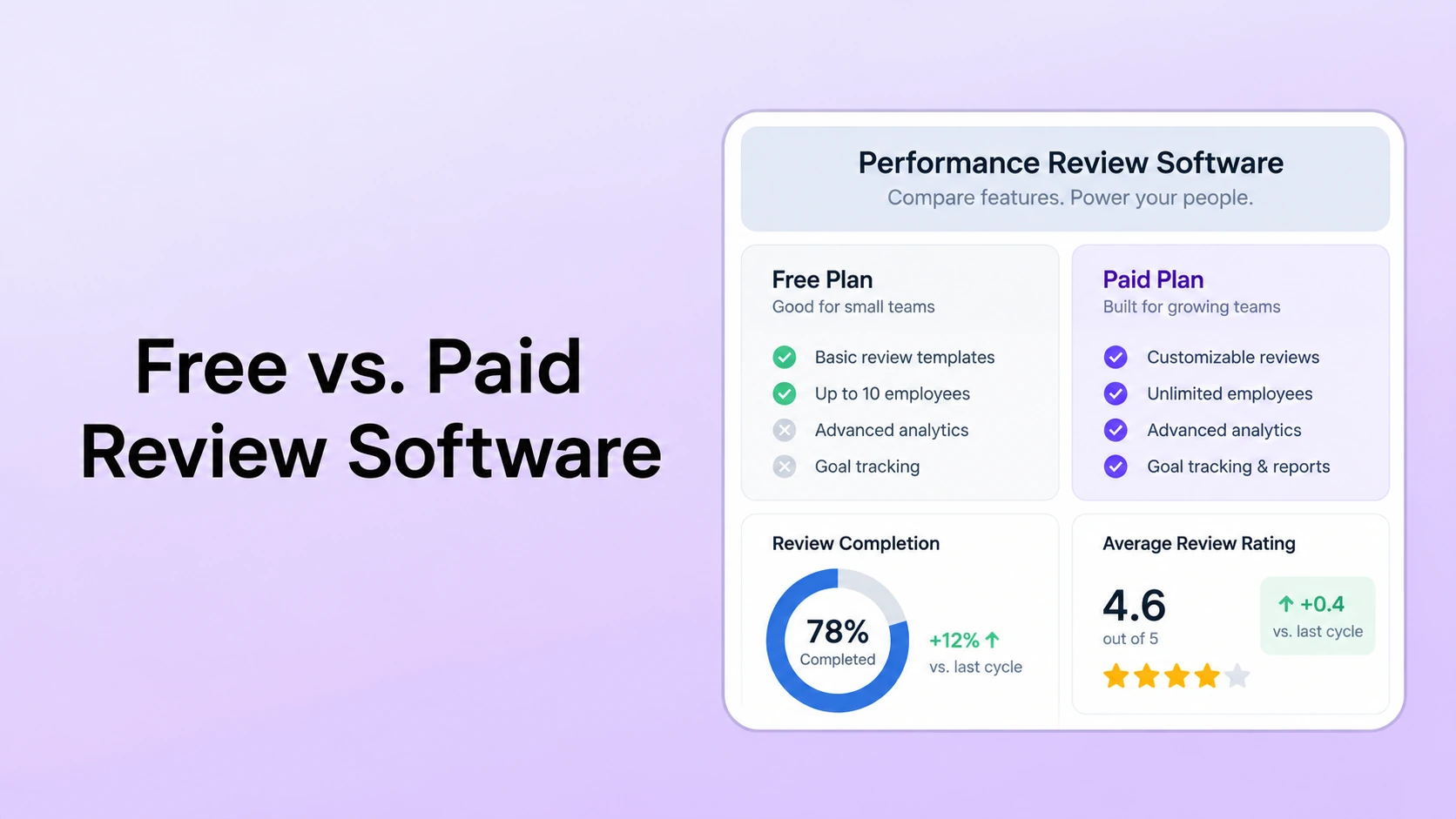
Table of Contents

Key Takeaways:
- Choose free or paid software based on review complexity, not a fixed employee-count threshold.
- Verify the exact free-plan limits for cycles, permissions, reporting, integrations, support, and exports.
- Paid software is easier to justify when it removes recurring administrative work or supports governance the free plan cannot handle.
- Paid platforms also add trade-offs such as subscription cost, implementation, contract structure, change management, and vendor dependency.
- Compare total operating cost using your own HR hours, implementation quotes, software fees, and workaround effort.
Free performance review software can be a sensible choice when the review process is simple, the plan limits match the workflow, and HR can manage the remaining administration without creating side systems. Paid software becomes more valuable when the organization needs configurable cycles, stronger permissions, automated follow-up, calibration, reporting, integrations, or connected performance workflows that the free option does not include.
The important distinction is not company size. A small team can have a complex review process, while a larger team may run a narrow annual cycle. The better trigger is operating complexity: how many review types, reviewers, approvals, data sources, permissions, reports, and follow-up actions HR must coordinate.
This guide focuses on the trade-offs HR teams should test before choosing a free plan or moving to a paid platform. It does not assume that every free product has the same limits or that every paid product includes the same capabilities. Plan entitlements, prices, and product scope change, so verify current vendor documentation before buying.
What Free Performance Review Software Can Mean
“Free” is not one product model. HR teams should identify which of these they are actually evaluating:
- Permanent free plan: a vendor offers ongoing use at no subscription cost, usually with defined limits on users, features, cycles, storage, support, or integrations.
- Free trial: the paid product is available for a limited evaluation period. This is useful for testing, but it is not a long-term free option.
- Spreadsheet or document template: there is no software license, but HR owns the reminders, permissions, consolidation, reporting, and version control. If a template-based process is still appropriate, start with PerformSpark's free performance review templates.
- Open-source or self-hosted software: the license may be free, while hosting, maintenance, security administration, upgrades, and support remain internal costs.
A free label tells you the subscription price, not the operating model. Before comparing vendors, document the actual review workflow and list which steps the system must support without manual workarounds.
If the current process is mostly spreadsheets and shared documents, start with Automated Performance Reviews vs. Spreadsheets. That comparison helps separate software requirements from problems caused by the current manual process.
Free vs. Paid Performance Review Software: The Practical Trade-Offs
| Decision area | Free option can work when | Paid option adds value when | What HR should test |
|---|---|---|---|
| Review cycles | One or a few straightforward cycles use the same workflow. | Different populations, cadences, approvals, or reviewer types need separate configuration. | Build your real cycle, then change one assignment after launch. |
| Administration | HR can track completion and exceptions without a separate side system. | Repeated reminders, reassignments, escalations, and status reporting consume recurring admin time. | Show reminders, overdue tasks, reassignment, extensions, and exception handling. |
| Permissions | The plan's access controls match a simple review process. | Different roles need controlled visibility across employee, manager, peer, HR, and leadership views. | Test access before, during, and after the review cycle. |
| Calibration | Ratings do not require structured cross-manager review. | HR needs rating comparison, evidence review, approved changes, and retained decisions. | Run one calibration case and record an approved rating change. |
| Reporting | Completion status and basic exports answer leadership questions. | HR needs recurring dashboards, trends, team comparisons, or follow-up visibility. | Answer three real reporting questions inside the product. |
| Connected workflows | The review can operate as a stand-alone process. | Goals, check-ins, 360 feedback, development, and reporting need to stay connected. | Trace one performance story from goal or feedback through final review and follow-up. |
| Support | The team is comfortable with self-service setup and troubleshooting. | Implementation help, training, configuration support, or ongoing guidance matters. | Clarify what is included versus separately scoped services. |
| Total cost | Manual work is genuinely low and the free plan does not create workaround tools. | Subscription cost replaces enough recurring administration or disconnected tooling to improve operating fit. | Compare software, implementation, internal HR time, migration, integrations, and maintenance. |
1. Review-cycle flexibility
A free plan may be adequate for one standardized review cycle. The trade-off appears when HR needs different review cadences, employee populations, approval paths, question sets, or reviewer types at the same time.
Paid platforms often provide more configuration, but “paid” does not guarantee every workflow. In a demo, ask the vendor to recreate your actual cycle rather than showing a generic annual review.
2. Administrative automation
The recurring cost of a review process is often coordination. HR may need to assign participants, monitor completion, send reminders, extend deadlines, reassign managers, handle exceptions, and prepare status reports.
A free plan still works if those tasks remain manageable. A paid platform becomes easier to justify when manual follow-up becomes a recurring operating burden and the software can automate the specific steps your team currently handles by email or spreadsheet.
PerformSpark's current performance review workflow supports configurable annual, quarterly, and project-based cycles, automated reminders, reusable templates, completion visibility, and connected performance data. Those capabilities are examples of the operating depth HR should test in any paid platform.
3. Permissions and sensitive performance records
Performance reviews contain employee and manager information that should be visible only to people with an appropriate role in the process. Free plans can support permissions, but the exact controls vary by product and plan.
Ask how the system handles manager changes, HR access, peer-feedback visibility, exports, deleted records, administrator permissions, and historical review access. Do not assume that a paid license automatically provides the access model your organization needs.
4. Calibration and rating governance
A simple review process may not require formal calibration. Once multiple managers apply the same rating scale, HR may need a structured way to compare rating patterns, review evidence, discuss exceptions, and document approved changes.
If that workflow matters, test the actual performance calibration process. The useful question is not whether a vendor has a “calibration” checkbox on a feature list, but whether HR can prepare the discussion, review relevant evidence, record decisions, and retain the approved outcome without rebuilding the process in another file. For operating guidance, use these performance calibration best practices.
5. Reporting and decision visibility
Free software may provide completion status and basic exports. Paid products may add dashboards, configurable reporting, trend views, or broader analytics, but reporting depth varies widely.
Bring three real questions to the evaluation. For example: Which teams have incomplete reviews? How do rating distributions differ across departments? Which development actions were created after the cycle? Then ask the vendor to answer those questions using the product, not a slide deck.
For teams that need recurring visibility after each cycle, review the reporting and analytics workflow alongside the review product itself. The performance management metrics guide can help HR define which review and follow-through measures are actually worth tracking.
6. Connected feedback, goals, and development
A review can operate as a stand-alone form, or it can use evidence collected between cycles. The second model requires more than a review template.
HR teams that want goal management, check-ins and 1-on-1s, employee feedback, or development plans connected to the review should verify whether those workflows are included in the plan being evaluated. For example, structured 360-degree feedback adds reviewer selection, reminders, visibility rules, aggregation, and follow-up that a basic review form may not cover.
The same principle applies to goals and development. A paid platform may reduce the need to copy data between systems, but only if those capabilities are included and used. If development follow-through is part of the requirement, compare the workflow with PerformSpark's guide to individual development plan software.
7. Support, implementation, and change management
Free plans are often more self-service. That can be a benefit for a simple process because HR is not paying for implementation it does not need.
Paid software can add onboarding, configuration support, training, or account management, depending on the vendor and contract. Those services have value only when they match the team's implementation needs. Ask exactly what is included, what requires paid services, and who owns configuration after launch. Also test the day-to-day experience for managers and the administration model for HR leaders, because both groups carry the operating burden after launch.
8. Total cost, not just subscription cost
The correct comparison is not “$0 versus a monthly fee.” Use total operating cost:
- Software subscription
- Implementation and setup
- Internal HR administration
- Manager training and support
- Integrations or data preparation
- Migration and historical-data cleanup
- Manual reporting and spreadsheet workarounds
- Vendor support or professional services
A free plan can have the lower total cost when the process is genuinely simple. A paid plan can have the lower operating burden when it replaces recurring manual work. Use your own process data rather than a generic employee-count threshold or an unsupported ROI estimate.
When Free Performance Review Software Is a Reasonable Choice
Free software can be a good fit when most of the following are true:
- The organization runs one or a small number of straightforward review cycles.
- Reviewer roles and approval steps are limited.
- HR can manage reminders and exceptions without a separate tracking system.
- Basic reports or exports answer the questions leadership actually asks.
- The available permission model fits the organization's review policy.
- Calibration, 360 feedback, integrations, or development workflows are not current requirements.
- The team accepts self-service setup and support.
Free can also be useful for a pilot. If you take that route, define the exit criteria before launch. For example, decide which manual work, missing report, permission limitation, or workflow requirement would trigger a move to a paid platform.
When a Paid Platform Becomes Easier to Justify
A paid platform becomes more compelling when the cost of operating around the free plan is more important than the subscription itself. Common signals include:
- HR is running several review cycles or employee populations with different rules.
- Completion tracking and reminders require repeated manual follow-up.
- Manager changes or exceptions create assignment and access problems.
- Ratings require cross-manager calibration.
- Leadership expects reliable dashboards rather than one-off spreadsheet analysis.
- Goals, check-ins, feedback, 360 reviews, or development plans need to remain connected to the review.
- HR needs integrations or repeatable data imports to avoid reconciliation work.
- The organization wants implementation help, training, or ongoing vendor support.
These are workflow signals, not a universal headcount rule. A 30-person company with multiple business units and complex approval logic may need more structure than a much larger organization running a single standardized review.
Performance Review Workflow
Test the workflow that your free plan cannot handle
Bring one real review cycle, one manager change, one calibration case, and three reporting questions. See how PerformSpark handles the workflow without rebuilding it in spreadsheets.
Paid Performance Review Software Has Trade-Offs Too
Moving to paid software does not remove every operating problem. HR teams take on a different set of trade-offs:
- Recurring cost: subscription fees become part of the HR technology budget.
- Contract structure: annual minimums, implementation fees, or module packaging may matter more than the advertised starting price.
- Implementation: data, templates, permissions, workflows, and manager training still need to be configured.
- Overbuying: a broad suite can create more administration if the team only needs a narrow review process.
- Vendor dependency: data exports, integrations, contract terms, and product changes affect future switching costs.
- Change management: managers and employees need a clear process, not only new software.
This is why the best paid option is not necessarily the platform with the longest feature list. The right product is the one that handles the organization's real review workflow with acceptable cost and administrative effort. If the evaluation extends beyond reviews into a broader system, compare the scope of performance management software before choosing a narrower point solution.
A Controlled Buyer Test for HR Teams
Use the same test with every free and paid option. If you are still building the shortlist, first review PerformSpark's guide to the best performance review software for small companies. Then ask every shortlisted vendor or internal evaluator to complete the same steps:
- Create a review cycle using your real employee groups and timeline.
- Assign self, manager, and any required peer or approval steps.
- Change one manager after the cycle has started.
- Show how reminders and incomplete tasks are handled.
- Demonstrate the permission model for employee, manager, HR, and executive views.
- If relevant, prepare a calibration discussion and record an approved rating change.
- Answer three reporting questions using the completed cycle.
- Export the data and explain what happens when the organization leaves the platform.
This test exposes the difference between a product that has the right feature names and one that can support the actual operating process.
An Illustrative Free-vs.-Paid Scenario
Illustrative example: Company A runs one annual review with an employee self-review and manager review. One HR owner can manage assignments and reminders, the available permissions fit the process, and leadership only needs a completion report and final ratings export. A free plan may be completely reasonable if it supports those requirements.
Company B runs annual and mid-year cycles, separate workflows for managers and individual contributors, peer feedback for selected roles, calibration across departments, development follow-up, and recurring leadership reporting. HR is also reconciling employee and manager data with another system. In that environment, a free plan may create enough manual work that a paid platform is easier to operate.
The difference is not that Company B crossed a specific employee threshold. It is that the workflow has more states, permissions, data dependencies, and decision points.
How to Compare the Cost of Free and Paid Options
Create two simple cost models using the same period:
Free option = $0 software fee + internal administration + manual reporting + workaround tools + migration or maintenance effort.
Paid option = subscription + implementation + training + integration + internal administration.
Do not assign arbitrary values. Use actual HR hours, current software invoices, implementation quotes, and the internal cost assumptions your finance team already uses. For a deeper commercial checklist, use the performance management software pricing guide to capture contract structure, implementation, support, and other hidden cost categories.
| Cost area | Free option | Paid option | Evidence to collect |
|---|---|---|---|
| Software | $0 license or limited free-plan cost | Subscription and any minimum contract commitment | Current vendor quote and plan entitlements |
| Implementation | Usually self-managed | May include setup or paid implementation services | Internal setup hours and vendor statement of work |
| Administration | Manual reminders, tracking, exports, and exception handling may remain | Automation can reduce some recurring coordination if configured correctly | Actual HR hours per review cycle |
| Integrations | Manual imports or limited connections may be sufficient | Native or paid integrations may reduce reconciliation work | Systems, fields, sync direction, and integration fees |
| Reporting | Exports and spreadsheet analysis may remain manual | Dashboards or configurable reporting may be included by plan | Recurring reports and time required to produce them |
| Migration and exit | Historical files may already be portable but fragmented | Migration effort and future data-export terms matter | Migration scope, export format, retention rules, and exit terms |
As one current paid example, PerformSpark's pricing page lists $4-8 per user per month, with all PerformSpark features included and annual contract minimums applying. That pricing was checked on September 23, 2026 and should be reconfirmed when obtaining a quote.
How to Move From a Free Tool to a Paid Platform
If timing allows, moving between review cycles reduces the number of records and workflow states that need to be migrated at once. When a mid-cycle switch is unavoidable, decide explicitly whether the current cycle will finish in the old system or be migrated under a vendor-supported plan.
- Export historical reviews and confirm the files are readable.
- Clean employee, manager, department, and eligibility data.
- Map the current review template and rating scale to the new platform.
- Configure permissions before importing sensitive performance information.
- Run a pilot with representative employee and manager roles.
- Test reminders, exceptions, calibration, reporting, exports, mobile use, and the required HR-system integrations.
- Train managers on the review process as well as the software.
- Set an owner for post-launch issues and the first-cycle retrospective.
Choose Based on Operating Complexity, Not the Price Label
Free performance review software is not automatically too limited, and paid software is not automatically more appropriate. Free works when its scope matches the process. Paid becomes worthwhile when automation, permissions, calibration, reporting, integrations, or connected performance workflows remove meaningful operational friction.
Start with the process you need to run, then compare products against that process. Compare current plan limits, implementation scope, operating effort, and exit terms before choosing the lower-cost option.
Free vs. Paid Performance Review Software
Test PerformSpark against your real review process
Bring your cycle design, reviewer roles, permissions, calibration needs, reporting questions, and migration constraints to a focused walkthrough.
Book a PerformSpark Demo →Personalized performance management walkthrough




.svg)

.svg)
.svg)