

.svg)





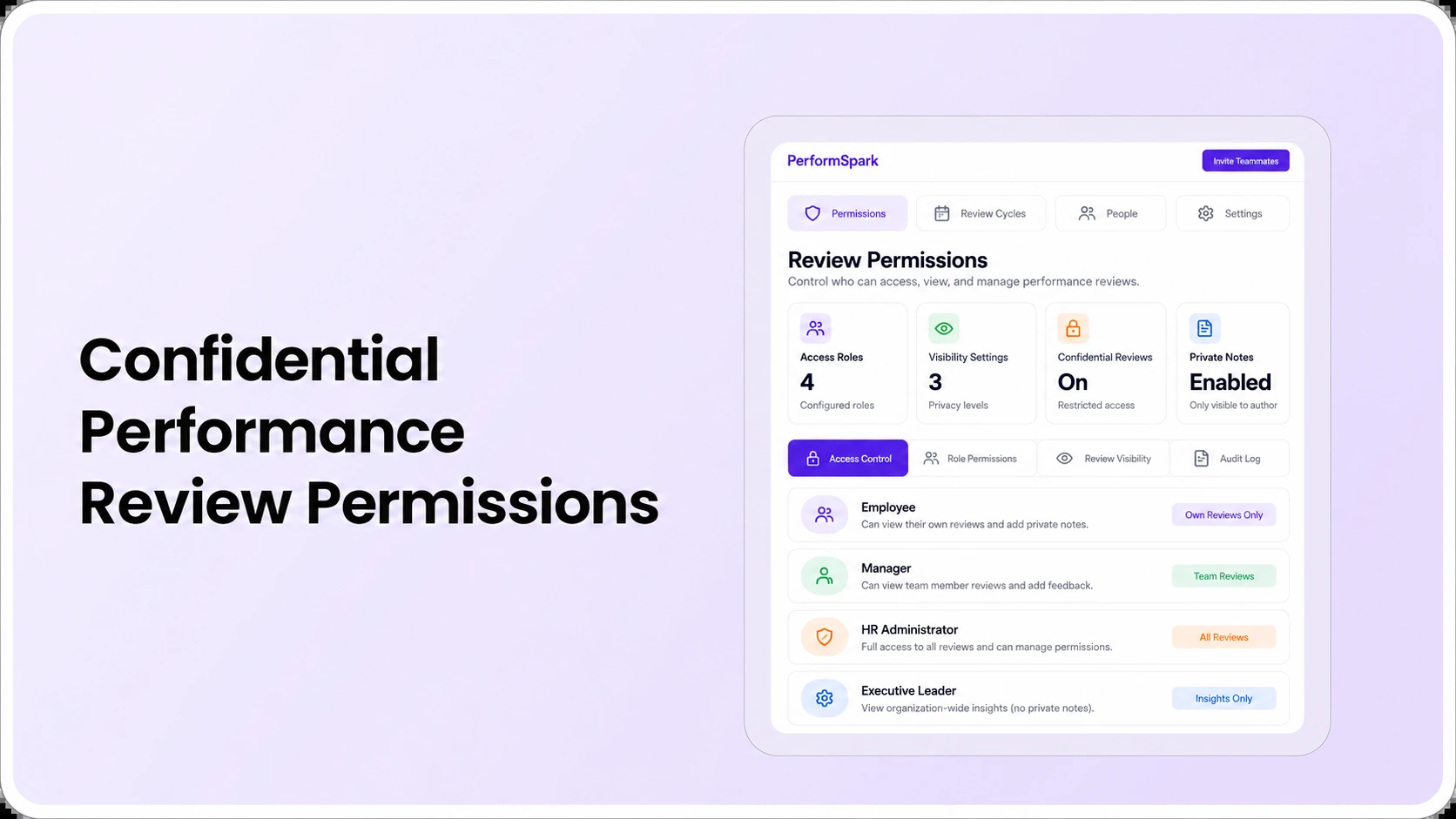
Table of Contents

Key Takeaways:
- Test which employees, managers, HR staff and executives can view each review field.
- Separate draft notes, submitted assessments and finalized employee-visible feedback.
- Verify privacy controls after manager transfers, employee departures and role changes.
- Check 360-feedback identities, report filters, email notifications and exports.
- Treat critical access-control failures as hard gates during vendor selection.
Confidential performance review software should let employees, managers and HR access only the review information they need for their assigned responsibilities. A buyer should test private manager notes, draft versus finalized feedback, 360-degree responses, manager transfers, report exports and notifications using separate user accounts. A security page alone cannot prove the visibility of a particular field.
Consider an illustrative situation: a manager drafts a review, an HR partner helps with calibration, and a regional executive needs departmental completion rates. Those people have different reasons to access performance information. If the executive can read every manager draft merely because they can open the dashboard, the organization's permissions policy may not be reflected in the application.
This is a practical buyer's guide to confidential performance review software and role-based access, not a legal certification checklist. It explains what should be verified during a product demo, how to build a field-level visibility matrix and which privacy questions to settle before uploading sensitive employee records. For product-specific questions, start with PerformSpark's security and data protection documentation and ask for confirmation of the relevant configuration.
What makes a performance review confidential?
A review can contain goals, ratings, private draft notes, multi-rater feedback, development needs and employment-related judgments. Confidentiality is about permitted access and appropriate handling of that information across the workflow. It does not necessarily mean an employee will never see the content or that HR may promise absolute secrecy.
NIST defines least privilege as limiting access to the minimum authorizations needed to perform assigned tasks. Apply this principle to reviews by distinguishing the ability to view, comment, edit, approve, export and administer records. Those are not interchangeable rights. A manager who can draft an evaluation does not automatically need authority to modify a finalized rating.
The performance review workflow can have several states. A self-assessment may be visible to the employee immediately; a manager's unsubmitted notes may be kept in a different state; and an approved review may be released according to the organization's written policy. Test what those states mean in the actual software rather than assuming “private” is a reliable label.
Create a role-by-role performance review permissions matrix
Before vendor selection, define what each participant needs to do and see. The following is an illustrative matrix written as a role checklist, not a claim about specific default permissions in PerformSpark or any other vendor. A structured role checklist is easier to review than a broad promise of “enterprise privacy.”
Employee
An employee may need access to assigned review questions, authorized feedback, current goals, agreed development actions and finalized records allowed by policy. Test whether the employee can see unsubmitted manager commentary, peer identities, calibration notes or later edits. Ask HR to document the expected result for each field and review stage.
Direct manager
The manager generally needs authorized information about assigned direct reports: review history relevant to the assessment, progress against goals and appropriate check-in notes. Test the difference between a manager's draft area and the final text employees receive. Also check whether the manager can export records and whether that export includes private feedback the manager did not collect.
HR administrator and HR business partner
HR may administer review cycles, resolve reviewer assignments and evaluate consistency using performance calibration. That does not necessarily mean every HR account should have identical access to all narratives, disciplinary notes or employee exports. Test administrative versus read-only functions and maintain clear ownership for exceptional access.
Project lead, dotted-line manager or peer reviewer
A collaborator may legitimately provide observations through feedback and survey workflows or 360-degree feedback. The right to submit feedback is distinct from the right to see the complete employee assessment. Ask who can view respondent identities, group-level summaries and raw comments, especially when only a small number of contributors are involved.
Executive and reporting stakeholder
Executives often need aggregated cycle completion, rating distribution and development status rather than unrestricted individual narrative reviews. A product's performance reports and analytics should be tested separately for summary access and drill-down detail. Aggregated output can still reveal people when a team has very few members, so check small-group results and filters.
For every role above, record six possible actions: view draft, edit draft, view finalized review, view feedback identity, export record and change permissions. Mark each cell allowed, not allowed or requires explicit approval according to your policy. This makes a practical buying scorecard without assuming one generic permission preset fits every organization.
How should private notes and employee-visible feedback differ?
The distinction has to be deliberate. An employee's right to receive information may depend on employer policy, contract or applicable law, while managers may need a private space to organize observations before presenting approved feedback. Before testing software, decide which categories of notes should exist, how long they should be retained and who may review them.
- Draft manager observations: record timely, job-relevant evidence, not unsupported personal judgments. Verify whether the draft is visible to HR, the employee or an approver at every stage.
- Submitted manager assessment: confirm which fields become locked, what can be returned for revision and whether previous versions remain traceable.
- Employee-visible review: confirm the release stage and ensure an acknowledgment field cannot be confused with agreement about a rating.
- Calibration discussion: establish who may view supporting evidence or provisional ratings while a group examines consistency.
- Development follow-up: distinguish an agreed individual development plan from formal performance improvement procedures.
Narrow access alone does not make an assessment fair or accurate. The CIPD performance management factsheet stresses clear performance expectations and regular, useful conversations. Use that framework to help managers write verifiable feedback and to decide what information actually belongs in the record.
Eight confidentiality tests HR should run during a software demo
Use fictional employees and approved test accounts. Give every vendor the same scenario and record the result as demonstrated, requires configuration, needs additional evidence or does not meet requirement. In particular, observe the visible screen and export, not only an explanation of the intended design.
- Draft visibility: create an unfinished manager review, sign in as the employee and try to open the private fields. Repeat after manager submission and final release.
- Unauthorized employee record: sign in as another team's manager and attempt to open an employee outside that manager's reporting line. Document both search and direct-link behavior.
- Manager transfer: change the employee's supervisor in sample data during an open review. Confirm who owns remaining tasks and which manager can still view historical comments.
- HR permissions: compare an administrator who configures reviews with an HR partner who only needs reporting or support. Test whether their export rights differ as policy requires.
- 360-degree feedback: submit a sample peer response and verify respondent identity, raw comments and summarized results from employee, manager and HR accounts.
- Notification privacy: inspect email or smart notification previews. A reminder may need a task name and due date, not a performance rating or confidential narrative.
- Reporting and exports: filter an executive report to a very small department, download its export and confirm both show only authorized detail.
- Audit and record handling: ask to inspect what is recorded when access is granted, an employee leaves, a review is corrected or a record reaches its retention limit.
A vendor that answers “yes, that is secure” has not demonstrated any of those tests. Request a written description of available roles, required configuration, administrative responsibilities and limitations. The performance management RFP checklist is useful for converting these into procurement requirements.
Review Privacy
Test confidential review permissions in a demo
Bring sample employee, manager, HR and executive roles. Check who can view draft notes, final reviews, feedback and exports.
What is the difference between confidential and anonymous 360-degree feedback?
Confidential feedback means access to the information is restricted to authorized people or processes. Anonymous feedback means the recipient cannot identify the respondent under the promised design. They are not equivalent. Some processes conceal a name from an employee while an administrator or system can still associate the response with its source.
A small team creates an additional problem: even a nameless comment can be recognizable from the context. Before promising anonymity, test respondent thresholds, grouping rules, free-text handling, access to raw responses and what happens when only two people provided input. Do not say a feature guarantees anonymity unless the configured system and operating process support that claim.
Connect respondent access testing to the specific 360-review workflow, not a general promise about user roles. If the organization also uses a feedback survey, document whether the privacy rules differ from formal performance feedback. Separate systems and channels may apply different visibility settings.
How should confidential reviews handle manager changes and departures?
Manager changes can occur through promotion, restructuring, leave or employee transfer. When an HRIS record updates, the performance review system may need to identify a new owner while retaining historical context. The organization should determine which prior manager's notes can be read by the replacement and for how long. A new manager should not automatically receive every historical private remark without a legitimate purpose.
In a demonstration, create one review drafted by Manager A and then change the employee's reporting line to Manager B. Confirm who can approve, read, edit and export the existing record. Also check what happens when Manager A's account is disabled. The relevant HR system integration and integration options should be verified for the customer's actual source fields, not inferred from the presence of an HRIS logo.
This decision also affects goal records and ongoing coaching. Do the new manager and employee still have access to their agreed goals while the old manager loses privileges no longer needed? Avoid silently rewriting past review ownership simply because the current reporting line has changed.
Can executive dashboards and exports expose private review information?
Yes, if authorization rules are too broad or aggregates disclose individuals in a very small group. An executive dashboard might legitimately display cycle completion rates or the distribution of final ratings, but access to comments and identity-level records requires a separate business justification. Test filtering, drill-down and export options individually.
For an illustrative example, a department summary with a single employee can effectively be an individual record even when its heading says “aggregate.” Before deciding that a report is safe to share, consider grouping rules, minimum population sizes and the purpose of the audience. Those are policy decisions to validate with your privacy or legal stakeholders.
The buyer should also compare on-screen results with downloaded exports. If a user cannot view a private rating in the dashboard but can export it to a spreadsheet, the permission test has failed. Ask to inspect the exact file fields and any activity records available to authorized administrators.
Review notifications, retention and compliance claims carefully
Notification templates can expose employee identities, task status or confidential comments through email previews, shared channels or forwarded messages. Review which channel is allowed for the organization and whether different employees have access to company devices and accounts. Test each approved notification path rather than assuming in-app controls also apply to email.
Retention and deletion requirements depend on applicable laws, contracts and employer policies. Ask the vendor about record export, deletion requests, archived reviews, account deactivation and administrative logs. Neither a feature list nor a broad security badge establishes that the organization has met its legal obligations.
PerformSpark's security documentation describes access-control safeguards and logging, but the current scope, evidence and contract terms should be confirmed with its security team. Do not present the product as holding SOC 2 Type II, HIPAA, GDPR or ISO certifications without current written verification. This guide provides educational procurement guidance, not a legal or compliance opinion.
How to compare platforms on confidentiality and usability
Different products may provide the same visible features but different administrative responsibilities. Compare the current manual process, an independent performance management platform and an HRIS review module on the exact permissions the business needs. The relevant question is whether users can complete their tasks while sensitive information stays within the approved boundaries.
- Policy fit: test the most sensitive viewing and exporting situations before scoring convenience features.
- Manager usability: verify that supervisors can prepare thoughtful reviews without sharing accounts or creating uncontrolled document copies.
- HR oversight: identify who grants exceptions and how access changes are reviewed.
- Integration effort: document reporting-line and employee-status synchronization assumptions.
- Total cost: include configuration, training, support and ongoing access administration, not only the subscription price. See published pricing information and request a written quote.
A vendor scorecard can give 30% illustrative weight to role-based permissions, 20% to review-stage visibility, 20% to reports and exports, 15% to manager-change handling and 15% to implementation and cost. These are planning weights, not an industry benchmark. Critical confidentiality failures should remain pass/fail conditions even if the weighted average looks good.
For a broader view of vendor selection, see the performance software buying guide. For related operational questions, the reporting dashboard test guide explains how to validate HR and executive views and the review reminder guide covers task notifications.
What to ask PerformSpark about confidential reviews
PerformSpark describes configurable performance reviews, role-based analytics views, calibration and access-control safeguards. During a product walkthrough, ask the team to demonstrate employee, direct-manager, HR and executive accounts with one review moving from draft to final release. Also test a manager transfer, one confidential 360 response and an export.
Record which capabilities work in the demonstrated configuration and which require additional policies, integrations or implementation work. Where a permission cannot be demonstrated, treat it as an open procurement requirement. Effective review privacy depends on both correct software settings and accountable organizational practice.
Bottom line: a reliable confidential review process gives each person enough access to complete their role while protecting sensitive notes, feedback identities and employee records from unnecessary disclosure. Choose the platform that demonstrates those boundaries with representative accounts and documents what happens when people, stages or policies change.
Confidential Reviews
Review access controls with PerformSpark
Bring your permissions matrix, manager-change scenario, private feedback questions and approval requirements to a focused demonstration.
Book a PerformSpark Demo →Verify the exact configuration and security documentation




.svg)

.svg)
.svg)

