

.svg)





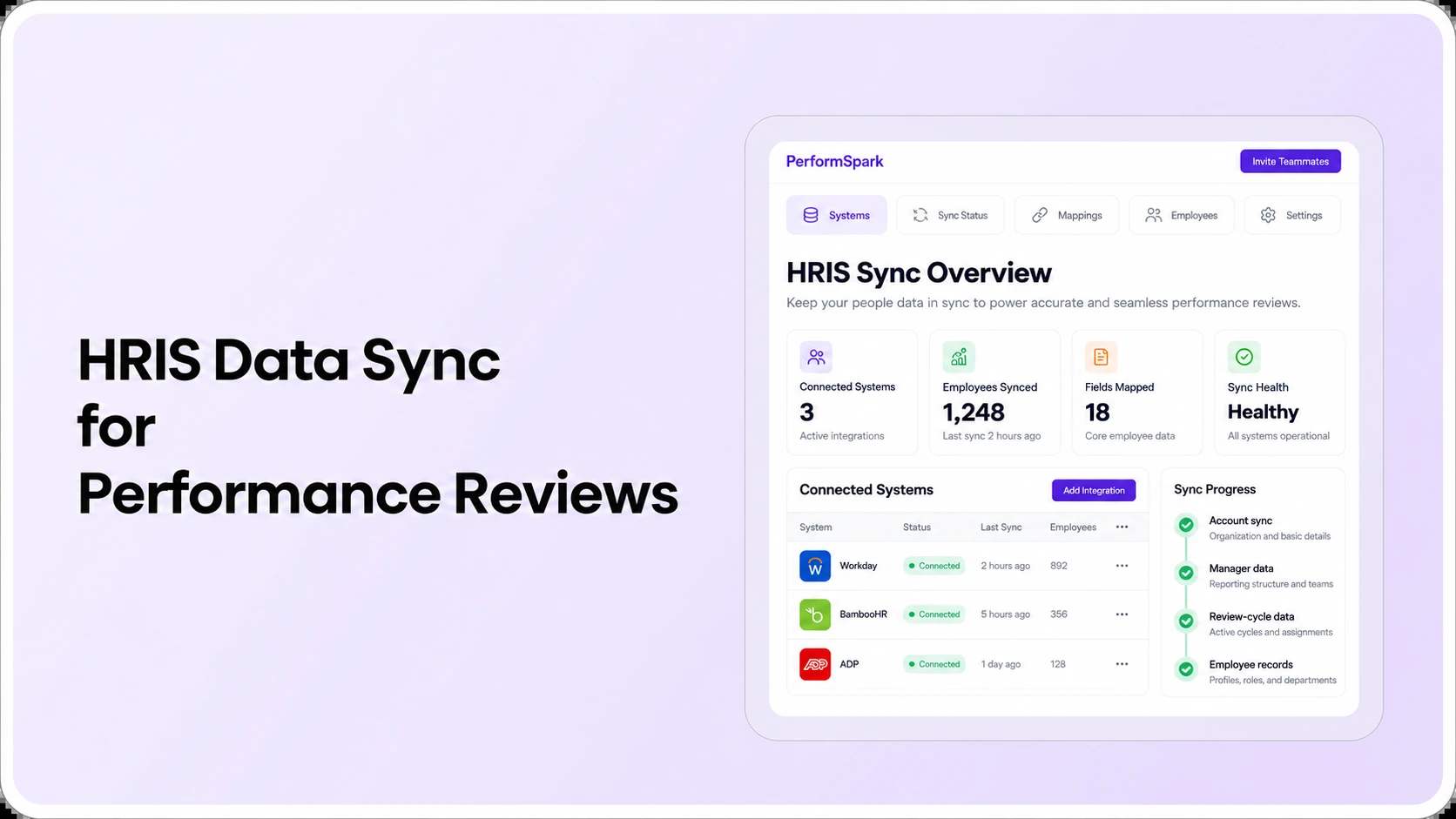
Table of Contents

Key Takeaways:
- Use stable employee IDs and document who owns each synchronized field.
- Test manager changes during an open review, not just profile updates.
- Treat employee provisioning, review reassignment and permissions as distinct steps.
- Require visible sync failures, recovery ownership and reporting reconciliation.
- Confirm supported connectors, field direction and costs in a live vendor test.
HRIS integration for performance management software connects the employee data that controls review assignments, goals, permissions and reporting. Buyers should start with a minimum field map: stable employee ID, employment status, reporting manager, department or team, and any approved attributes needed to assign people to a review cycle. Then test what happens when an employee joins, changes managers or leaves.
Here is a realistic hypothetical problem. Taylor's HRIS record shows a move from Sales to Operations on Monday, but an open performance review still routes to the former supervisor. Synchronizing the department name does not necessarily transfer review ownership or private notes. HR needs to know which system owns each field, when updates arrive, what the review application does with them, and how exceptions are resolved.
This guide answers the narrower buying question which employee data should sync automatically between an HRIS and performance management software? It does not replace the more general HR software integration checklist covering connector procurement, SSO, security and contracts. Here, the focus is specifically on employee attributes and their effects on active performance review workflows.
Which employee HRIS fields should a performance management platform receive?
Begin with a data dictionary, not a connector logo. For each field, document its business purpose, source of truth, data type, permitted values, update cadence and what should happen if it is missing. The following is an illustrative field-level buying map, not a statement of PerformSpark's supported connector fields.
Core employee data: minimum useful field map
- Employee ID: a stable, unique identifier used for matching records across updates. Ask whether the integration handles rehiring, multiple employments and changed email addresses without creating duplicates.
- Display name and work email: useful for recognizing employees and delivering approved invitations, but email should not automatically become the primary identity key because addresses can change.
- Active employment status: determines whether an account should be eligible, restricted, deactivated or retained for historical access under policy.
- Direct manager identifier: supports reviewer assignments and manager-scoped access. The link must be to the correct employee ID, not a free-text supervisor name.
- Department, team or business unit: may drive review populations and authorized aggregate reporting. Make effective-date behavior explicit.
- Job role or level: can inform eligibility for particular review templates or competencies, if the platform supports that mapping.
- Work location: needed only when site-based review policy, approvals or location-based reporting actually require it.
- Hire and transfer dates: may matter for new-hire or milestone reviews, but confirm how effective dates interact with already-assigned tasks.
Avoid sending salary details, government identifiers, medical information, protected characteristics or other sensitive attributes into a performance platform without a documented business need and appropriate governance. For instance, goal tracking may require the employee's team and manager, not their payroll bank data. Review the organization's privacy policy, retention rules and applicable laws with the appropriate stakeholders.
How do fields affect actual review workflows?
A useful integration specification maps each data element to an action in the application. A manager ID is not merely a line in the profile: it may influence who receives an assigned assessment, which review reminders are sent, and who can view sensitive feedback. Similarly, a department change might alter eligibility for an upcoming cycle while leaving an older assessment governed by the original reviewer.
Manager reassignment is the most important test
Ask the vendor to open a test employee's unfinished review, then change that employee's manager in the HRIS. Confirm the expected update interval, the source and destination values, and whether the active review transfers automatically, requires administrator approval or remains with the former manager. Inspect what the previous manager can still view afterward.
This distinction matters in real systems. SAP SuccessFactors documentation on performance-form transfers describes cases where manager changes and review document routing depend on configuration and role relationships. That example does not prove that another vendor behaves the same way. It shows why buyer testing must cover review-task behavior, not only whether the profile displays a new supervisor.
Employee status changes can affect access before reporting catches up
A newly hired person might be provisioned before being eligible for a specific review. Someone on leave may remain employed while a deadline needs adjustment. When an employee exits, HR may need to stop active assignments and remove access without deleting authorized historical review records.
Microsoft's employee lifecycle provisioning guidance separates joiner, mover and leaver events, with different identity and access consequences. Use the same conceptual separation in performance software tests. Provisioning an account, assigning a review and retaining historical records are different operations.
Should HRIS integration be one-way or bidirectional?
If the HRIS is the authority for employee profiles and reporting lines, one-way employee-data sync into performance software can be sufficient. Bidirectional data flow makes sense only when another application is intentionally allowed to update a particular field back in the source HRIS. Document ownership before enabling any write-back.
For example, goals and manager check-in notes may remain inside the performance platform. The organization might need only limited summary data for an approved reporting workflow, or no write-back at all. A general claim that an integration is “two-way” does not tell buyers whether review narratives, ratings, manager IDs and dates follow the same rules.
Ask for a field-by-field direction statement: HRIS → performance system, performance system → HRIS, or no integration. If both systems can update the same attribute, define precedence, conflict handling and correction ownership. The PerformSpark integrations overview and integration directory are starting points; the vendor must confirm the exact connector, supported fields and update direction for the buyer's environment.
What should happen when a data sync fails?
Successful first imports are easy to demonstrate. The more revealing scenario is a partial failure: one employee has an invalid manager identifier, a recently rehired person has duplicate profiles, or an integration job stops before the deadline for a review cycle. The software buyer should require a visible error, an owner for the failure, and a reliable recovery path.
- Invalid or missing manager: keep the review from silently going to an unrelated user. Define whether the task remains pending and who resolves it.
- Duplicate employee ID: stop ambiguous merging and investigate the source rather than overwriting another person's review history.
- Unknown department code: detect mismatched categories before they place an employee into the wrong review population.
- Delayed status update: avoid sending confidential review invitations to a user whose access should have been restricted.
- Failed rerun: confirm which records were retried and whether successful records were duplicated or reverted.
Systems such as SAP SuccessFactors distinguish sync mappings and protected identifiers in their official HRIS sync-mapping guidance. Such restrictions are platform-specific; do not copy another vendor's mapping rules into your HRIS configuration. Instead request the correct mapping documentation and error response for your actual systems.
Eight integration demo tests HR and IT should run together
Use fictional or approved sample records and the same test plan for each shortlisted vendor. Ask HR to validate business meaning and IT to validate field flow, authentication, failure handling and access implications. Score every result as demonstrated, configurable, needing evidence or not supported.
- Record identity: create two employees with similar names but different IDs, then verify that both remain distinct.
- New hire: create a test employee in the source HRIS and inspect downstream provisioning, initial permissions and review-cycle eligibility.
- Manager change: update a reporting line while a performance review is open; inspect task ownership and historical access.
- Department move: transfer a worker to a new team, then check which goals and upcoming review templates are appropriate.
- Employee exit: change employment status and inspect account access, outstanding tasks and records the organization must retain.
- Bad source field: insert an invalid manager or department value and record how the system reports and resolves the error.
- Timing: measure when a changed profile, reviewer assignment and related notification actually update.
- Reporting reconciliation: compare employee counts and assigned reviews in the source, the performance platform and HR reports; explain any permitted exclusions.
For the most important test, document the expected state before the manager transfer and capture the actual results afterward. If the vendor says an integration is available only via custom work, partner tooling or a paid service, record those dependencies and their owners. Ask the vendor to provide sample error logs or screenshots only when they are representative of the current supported product.
HRIS Data Sync Evaluation
Test the employee-data changes that affect reviews
Bring a sample employee profile, manager transfer and active review. Ask how supported integrations, assignments and permissions work together.
Where do reviews, permissions and feedback data belong?
Performance management systems contain information that may be inappropriate to replicate into every HR application. Employee identity, organizational structure and access eligibility may sync from an HRIS, while ratings, private comments and individual performance plans remain subject to separate permissions and retention rules.
In product evaluations, examine access and security information along with real employee, manager, HR and executive test accounts. For 360-degree feedback, distinguish contributor identity and response visibility from basic employee profile attributes. Feedback and survey inputs can have their own confidentiality requirements. Neither should be shared merely because the HRIS connector supports custom fields.
The same principle applies to developmental and corrective records. An individual development plan or performance improvement plan can require different visibility and governance from a normal department or manager update. Do not assume that syncing an employee record entitles every connected system to a full narrative history.
Field ownership checklist for the buying committee
Before contract approval, have the HR owner, integration lead and vendor agree on one field-level document. This concise list may be easier to maintain than a wide spreadsheet of marketing features because it ties each field to a real review consequence.
- Source of truth: which system owns employee ID, manager, department, location, employment status and effective dates?
- Purpose: why does the performance platform need each field and which review, access or reporting task uses it?
- Direction and timing: who can change each field and when should the change appear?
- Missing values: who receives a failed record and how will it be corrected?
- Review behavior: does a manager change alter a profile only, or also an already-open assessment?
- Security: who may view private ratings, feedback, exports and historical records after an organizational change?
- Ownership and cost: who configures and maintains the connection, and what extra services or charges apply?
The current integration procurement checklist provides the broader technical and commercial RFP, while the performance management RFP guide connects integrations to the rest of a software decision. This field-ownership checklist is more targeted: it tests employee data and its effects on actual review work.
Common mistakes when syncing HRIS and performance data
- Matching by employee name or changeable email: use stable identifiers and verify rehire and duplicate scenarios.
- Conflating SSO with provisioning: a user who can sign in is not necessarily correctly assigned to a manager or review population.
- Assuming all connectors sync the same objects: obtain exact supported field documentation rather than inferring capabilities from an integration logo.
- Ignoring inactive workers: create a leaver test and check that permissions and open work match policy.
- Copying ratings without purpose: establish whether summary performance data needs to move and restrict sensitive narratives appropriately.
- Leaving error monitoring to nobody: assign a responsible person and expected correction process.
- Using generic implementation promises: scope data cleanup, test events and custom development explicitly.
Performance information may influence employment decisions, so HR should use job-related evidence and apply policies consistently. EEOC performance evaluation guidance discusses communicating and applying standards and using relevant facts. This article is educational workflow guidance, not legal advice. Consult qualified HR and legal professionals when decisions have employment consequences.
How PerformSpark fits an HRIS integration evaluation
PerformSpark publishes integration information alongside connected performance management workflows for reviews, goals, reporting and development. These resources explain the categories of functionality buyers can investigate; they do not prove any specific HRIS, real-time sync method, SCIM support or field mapping in the buyer's environment.
Bring one employee record and the eight test events above to the product team. Ask to see which data arrives from your HRIS, how an active review reacts to manager changes, what happens when the sync fails and which permissions remain in place. Document what can be demonstrated today versus what requires configuration or further technical validation.
HRIS & Performance Reviews
Validate the employee-data workflow before you buy
Discuss your HRIS, employee identifiers, reviewer changes, access rules, reporting needs and integration ownership in a focused PerformSpark demo.
Book a PerformSpark Demo →Bring the field map and exception tests to the demo




.svg)

.svg)
.svg)

