
.svg)





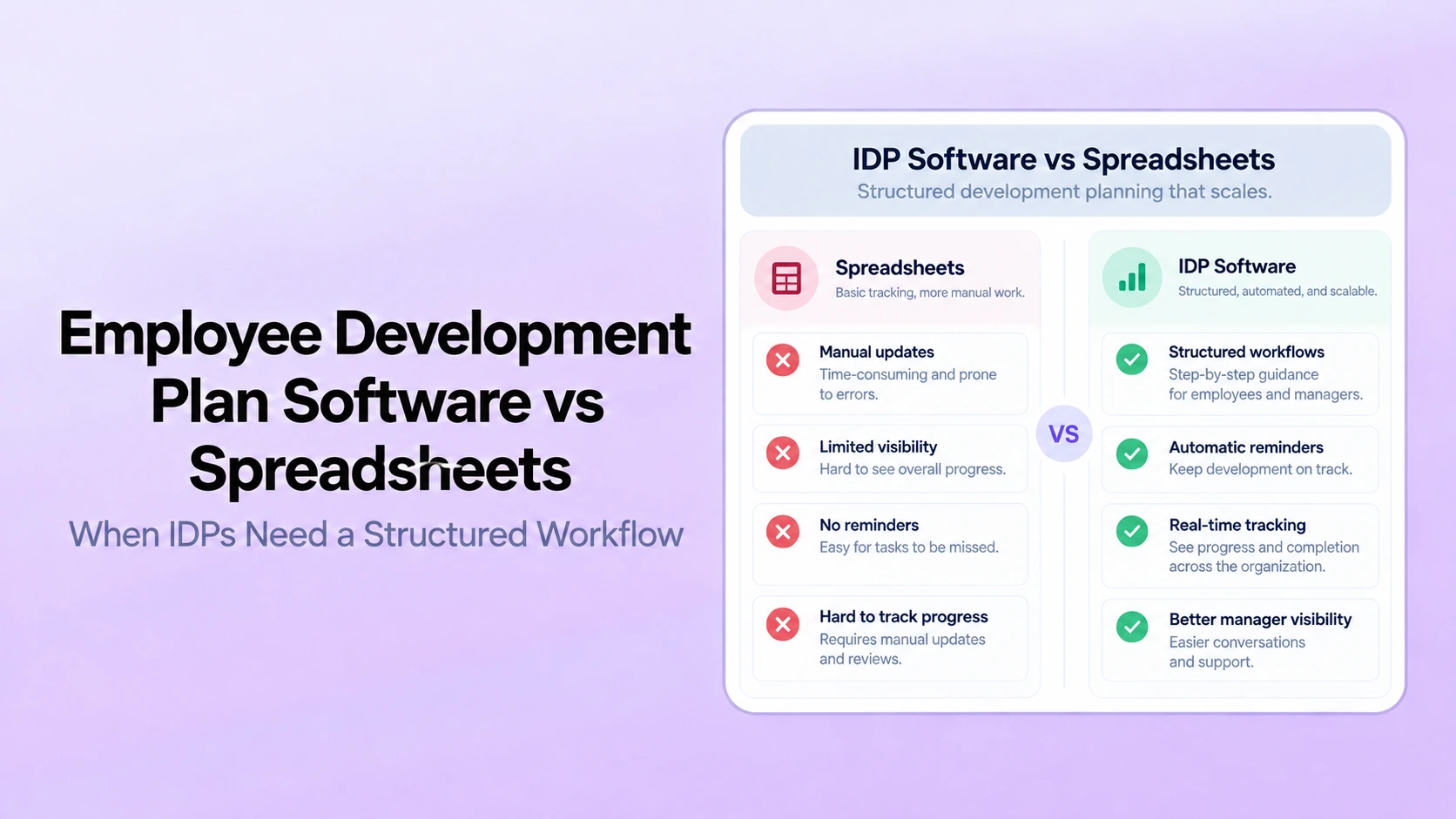
Table of Contents

Key Takeaways:
- Spreadsheets remain workable while IDPs are easy to find, govern, review and report without side trackers or repeated reconciliation.
- Structured software becomes more useful when milestones, permissions, manager commitments, reporting, org changes or duplicate entry create manual coordination.
- The migration trigger is workflow complexity and governance, not a fixed employee-count threshold.
- IDPs should stay visible in reviews and 1-on-1s while remaining distinct from formal performance-correction workflows.
- Build the business case from your own reminder, reporting, access, version-control and handoff workload rather than generic ROI claims.
Spreadsheets are still workable for employee development plans when the program is small, ownership is clear, one current version exists, and managers reliably revisit each plan. Structured IDP software becomes more useful when HR needs consistent templates, reminders, role-based access, reporting, continuity through manager changes, or stronger connections between development plans and normal performance conversations.
The decision is not “software is always better.” It is whether the manual process still gives employees, managers, and HR enough control over the development workflow without side trackers, repeated reconciliation, or unclear ownership.
This article focuses on that migration decision. For a broader software-evaluation framework, use the individual development plan software buyer guide. For plan design and manager execution, see the IDP best-practices guide.
Research date: October 1, 2026. Current product references in this article were checked against first-party vendor materials available on that date.
Employee Development Plan Software vs Spreadsheets
| Workflow area | Spreadsheet or shared document | Structured IDP software | Migration signal |
|---|---|---|---|
| Template control | HR distributes a file and relies on users to preserve the intended structure | HR maintains approved fields and workflow while employees personalize goals and activities | Copies diverge or required fields are regularly missing |
| Version control | Multiple copies, downloads, or emailed files can create ambiguity | Employee and manager work from one current record | People regularly ask which version is current |
| Milestones | Dates exist, but reminders and status checks are manual | Milestones, owners, status and reminders can live in the same workflow | Development dates pass without discussion |
| Manager support | Manager commitments can be written down but are easy to overlook | Employee actions and manager-support commitments can stay visible together | Employee tasks are tracked but manager commitments disappear |
| Reporting | HR consolidates files before answering program-level questions | Status can be aggregated from structured records | Simple reporting requires repeated file collection |
| Manager changes | Ownership and access may need manual reassignment | A controlled record can preserve context through reporting-line changes | Development history is lost when managers change |
| Permissions | Security depends on folder, link and file-sharing settings | Role-based access can be defined around approved roles | HR cannot confidently explain who can view or edit each plan |
| Workflow connection | Review, feedback and development information is usually copied between files | Authorized development context can sit alongside reviews, goals and check-ins | The same development priority is repeatedly re-entered across systems |
When Are Spreadsheets Still Enough for IDPs?
A spreadsheet or shared document can be reasonable when the operating model is simple and dependable. Keep it if most of the following are true:
- Only a limited population has active plans.
- Each plan has one employee and one clear manager owner.
- Everyone knows where the current version lives.
- Plans use a consistent structure.
- Milestones are reviewed during normal manager check-ins and 1-on-1s.
- Manager changes are uncommon or easy to hand off.
- HR can answer program questions without collecting many separate files.
- Development data does not require complex visibility rules.
The practical test is governance, not employee count. A small organization can outgrow spreadsheets quickly if it runs a complex development program, while a larger team may continue to use a simple shared process successfully.
What Changes When IDPs Move Into Structured Software?
Structured IDP software treats the plan as an active workflow rather than a file. Development priorities, activities, milestones, employee actions, manager commitments, review dates, status and permissions can be managed as connected records.
Current first-party product materials illustrate the difference. Lattice Individual Development Plans documents customizable IDP resources, development goals and progress tracking inside its broader growth workflow. Betterworks Individual Development Plans connects career aspirations, skills, development goals, milestones and relevant learning, including AI-recommended development actions that employees can review and refine before adding them to a plan.
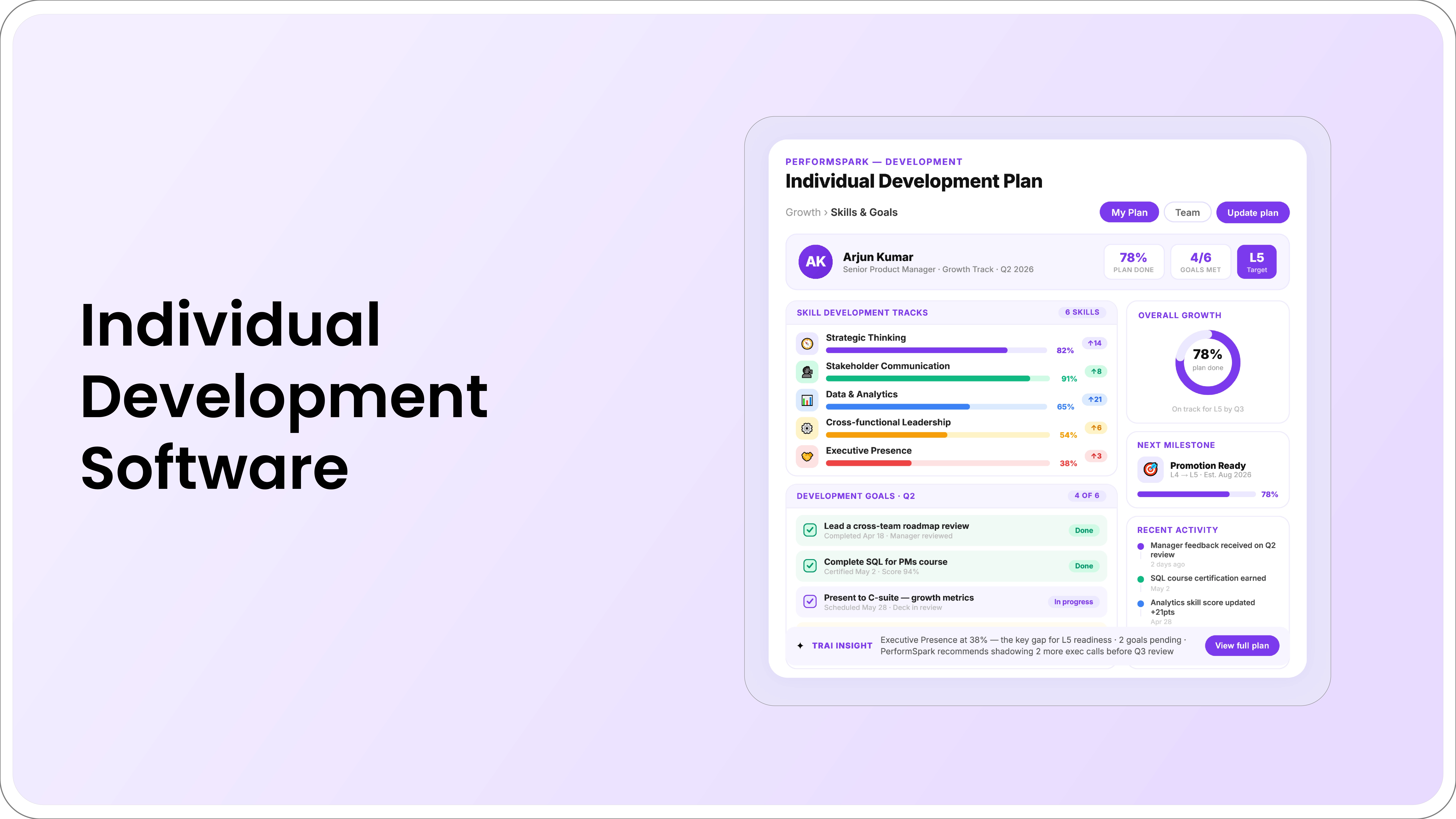
PerformSpark's individual development plan software connects development goals with performance reviews, goals, check-ins, feedback, milestones, manager support, notifications and reporting. The purpose is continuity across the year, not simply replacing one spreadsheet with a web form.
How PerformSpark Turns an IDP Into a Working Development Workflow
For a BOFU evaluation, the useful question is not whether PerformSpark can store a development plan. It is whether the system keeps the plan active through the same manager and employee workflows that already generate development evidence.
Carry review and feedback context into development
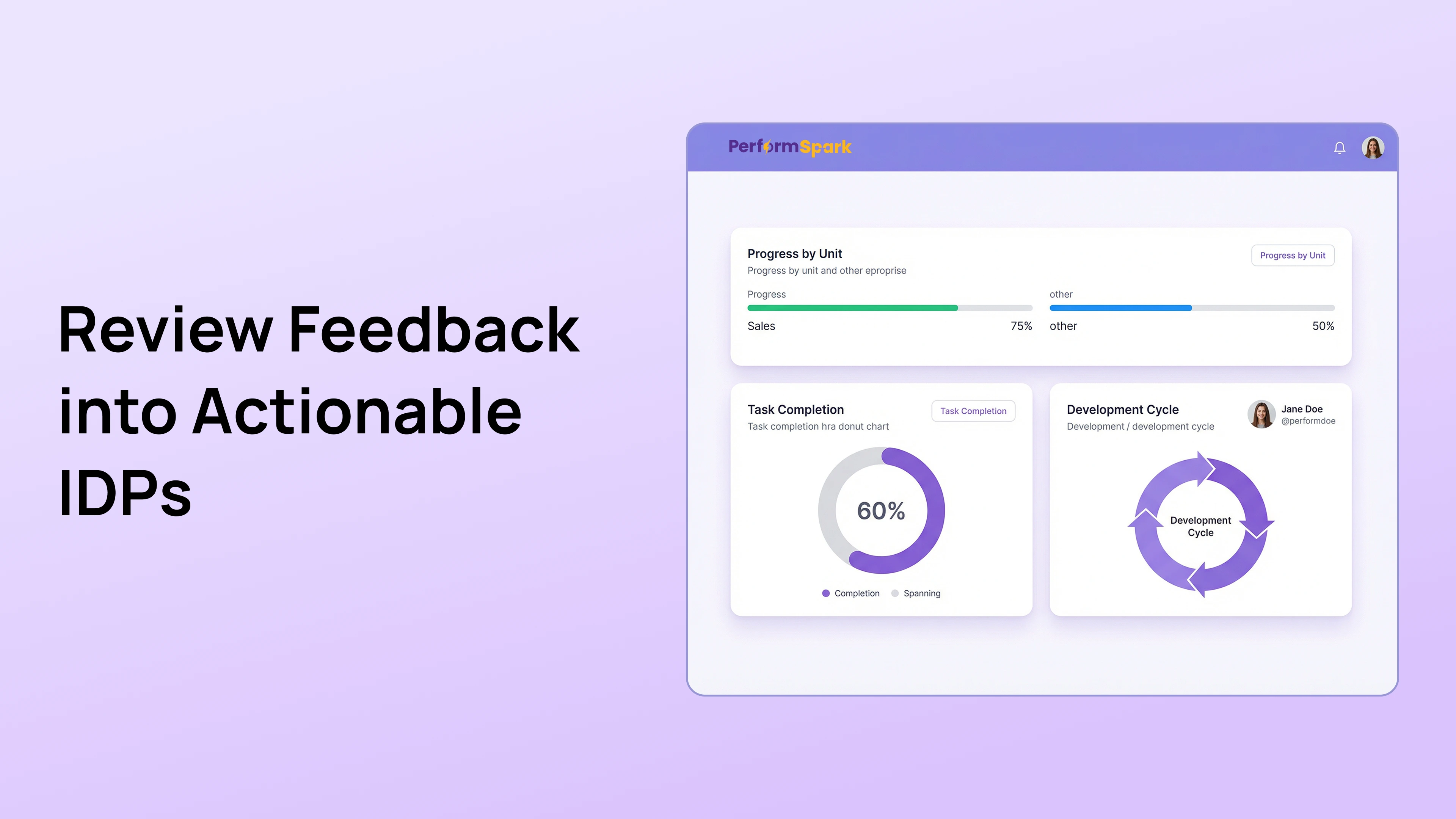
Individual Development Plans can connect agreed growth priorities with context from performance reviews, feedback, and 360 reviews. The important control is that software should surface context, not automatically convert a score or comment into a development requirement. The employee and manager still decide what belongs in the plan.
Separate employee actions from manager support
A useful IDP is not an employee-only task list. PerformSpark lets the development workflow sit alongside the manager relationship, so the demo should test whether employee actions and manager commitments can both remain visible. That includes coaching, introductions, stretch assignments, protected time, observations, or access to resources.
Make milestones part of recurring 1-on-1s
Check-ins and 1-on-1s are where development plans should stay alive. Test whether a manager can open the conversation with the active development priority, see what changed since the last meeting, capture a next action, and return to the same commitment later without maintaining a second tracker.
Connect skills and goals without collapsing them into one record
Skills Management can provide role or capability context, while Goal Management can track owned outcomes and dates. The IDP should retain the development story around why the skill matters, what experience will build it, and how progress will be reviewed.
Use notifications to support follow-through
Smart Notifications can support milestone and review cadence without turning development into automated nagging. During a demo, test who receives reminders, what action they point to, and what happens when a milestone is overdue or intentionally revised.
Give HR portfolio visibility without replacing manager judgment
Reporting & Analytics can help HR see active plans, milestone status, workflow completion, and broader program patterns. The purpose is operational visibility. A dashboard should not independently decide that an employee is promotion-ready, underperforming, or finished developing a capability.
Preserve continuity through manager and organization changes
One of the reasons spreadsheets become fragile is that ownership changes are manual. In a PerformSpark evaluation, test what happens when an employee changes managers or teams: which approved history remains available, who owns the next action, and whether employee and organizational data stay aligned through the integration workflow and available integrations.
Evaluate TrAI as assistance, not automatic career direction
TrAI, PerformSpark's assistive AI layer, can be evaluated for drafting or summarizing authorized development context. The employee, manager, and HR should remain responsible for career direction, development priorities, skill judgments, promotion readiness, and any consequential employment decision.
Eight Signs Your IDP Process Has Outgrown Spreadsheets
- Managers cannot find the current plan. Development conversations begin by searching for the file or checking multiple copies.
- Milestones pass without discussion. Dates exist, but there is no dependable reminder or follow-up workflow.
- HR cannot see program status. Answering basic questions requires collecting files from managers.
- Manager commitments disappear. Employee actions are tracked while coaching, introductions, protected time or stretch assignments are not.
- Review feedback must be copied manually. The same development priority is re-entered across performance reviews, goals and IDPs.
- Manager changes break continuity. The new manager cannot easily see active priorities, milestones, support commitments and progress.
- Access is difficult to govern. HR cannot confidently explain who can view or edit each record.
- Plans become annual paperwork. Development goals do not reappear in regular manager conversations.
No single signal automatically requires software. The case becomes stronger when several appear together and manual fixes create more trackers, reminders, exports or reconciliation work.
IDP Workflow Test
Test the handoffs your spreadsheet handles manually
Bring one real development plan, milestone sequence, manager commitment and reporting question to a PerformSpark walkthrough.
How to Test an IDP Workflow Before Leaving Spreadsheets
1. Test How the Development Priority Is Chosen
The employee and manager should agree on one or two capabilities, experiences or career goals that matter to the current role or a realistic next step. The priority may be informed by review evidence, feedback, a career conversation, a role change or 360-degree feedback, but it should not be assigned automatically from a score.
2. Test How Success Evidence Is Recorded
Replace broad goals such as “improve leadership” with an observable behavior, work sample or responsibility that can be reviewed. The IDP examples and templates show how to translate broad development ideas into specific outcomes.
3. Test How Development Activities Are Added
Use real work where possible: stretch assignments, mentoring, job shadowing, manager coaching, presentations, practice, peer observation or formal learning. Course completion is an activity, not proof that capability changed. For manager coaching design, use the employee coaching workflow guide.
4. Test Employee and Manager Ownership Separately
An IDP should not become an employee-only task list. Record manager commitments such as assignments, introductions, observations, budget, feedback sessions, protected time or access to subject-matter experts. The manager workflow should make those commitments visible enough to revisit.
5. Test Milestones, Review Dates, and Reminders
Break the goal into checkpoints that create opportunities for feedback. Use smart notifications to support follow-through without replacing human coaching.
6. Test the Workflow Inside Normal 1-on-1s
A short progress review can cover what was practiced, what evidence was created, what obstacle exists, what the employee will do next and what support the manager owes. If development requires a broader skill framework, connect the plan to skills management rather than maintaining a second disconnected competency tracker.
7. Test How a Goal Is Closed, Revised, or Extended
At the target review date, assess the work, feedback, employee reflection and manager observation. Close completed goals and revise active goals when priorities change. A connected goal management workflow can support ownership and dates while the IDP retains the development context.
What Employee Development Plan Software Does Not Fix
Software cannot create development opportunities that do not exist. It cannot make a manager coach well, turn a vague goal into a useful one without human input, or prove capability growth merely because a milestone was marked complete.
It also should not independently choose an employee's career direction, assign promotion readiness, diagnose a skill gap as fact, or decide that a capability has been mastered. AI can assist with authorized summaries or draft wording, but employees, managers and HR should review the evidence and retain control. If AI assistance is part of the proposed workflow, evaluate it alongside the controls described on the TrAI product page.
Keep Development Separate From Formal Performance Correction
An IDP is a development workflow. A performance improvement plan is a different process used when essential role expectations are not being met and structured performance correction is appropriate.
Do not use an IDP as disguised corrective documentation or automatically turn development data into an adverse employment decision. HR should define the purpose, visibility and governance of each workflow and involve qualified counsel when a high-risk employment decision requires legal review. This article is operational guidance, not legal advice.
How to Build the Business Case for Moving Off Spreadsheets
Use your own operating data instead of generic ROI claims. Track the time spent reconciling versions, sending reminders, consolidating reports, fixing access, handing plans between managers and duplicating information between reviews, check-ins and development plans.
Compare that workload with the proposed system's subscription cost, implementation effort, manager training, integration work, administration and governance. The PerformSpark pricing page can support commercial planning, while the integration catalog and security page provide inputs for technical and data-governance review.
IDP Migration Readiness Scorecard
| Question | Spreadsheet is still viable when | Software case is stronger when |
|---|---|---|
| Can people find the current plan? | One location and one owner are consistently understood | Multiple versions or local copies regularly create confusion |
| Are milestones reviewed on time? | Normal manager cadence is enough | HR depends on manual reminders or side trackers |
| Can HR report program status? | Answers are available without repeated consolidation | Every report requires collecting or cleaning files |
| Do manager changes preserve context? | Handoffs are rare and reliable | Plans lose ownership, access or history after org changes |
| Are permissions understandable? | File-sharing rules are simple and consistently applied | HR cannot explain who can view or edit development records |
| Does the plan connect to normal work? | Managers revisit it during ordinary check-ins | IDPs disappear until the next review cycle |
| Is duplicate entry manageable? | Little information is re-entered across systems | Review, feedback and development information is repeatedly copied |
A Practical Migration Plan
- Inventory active, completed, obsolete and duplicate plans.
- Standardize minimum fields: priority, reason, success evidence, activities, milestones, employee actions, manager support, cadence and review date.
- Clean employee, manager and reporting-line data.
- Define visibility by role before migration.
- Pilot one representative employee group.
- Move active plans rather than every historical file by default.
- Connect active development items to normal manager check-ins.
- Review whether the first cycle improved visibility, follow-through and reporting.
The HR leader workflow should make aggregate program health visible without turning dashboards into final judgments about individual employees.
Questions to Ask an IDP Software Vendor
- Can employees and managers co-create and revise goals?
- Can employee actions and manager-support commitments be tracked separately?
- Can active IDP items appear in 1-on-1s?
- What happens when an employee changes managers?
- Can HR report active plans, milestones, overdue reviews and completed goals through reporting and analytics?
- How are permissions and sensitive development records handled?
- Can review or feedback context inform an IDP without automatically assigning a goal?
- Can users inspect, edit and reject AI-generated suggestions?
- How are employee data and reporting relationships synchronized?
- How are completed and historical plans retained or exported?
When Should HR Keep Spreadsheets?
Keep the spreadsheet when it remains easy to govern. If managers consistently review plans, employees know where the current record lives, HR can answer program questions without repeated consolidation, access is appropriate and development does not disappear between review cycles, software may not solve an urgent problem.
Move toward a structured system when the process depends on side trackers, repeated reminders, copied review data, uncertain permissions, manual handoffs or repeated reconciliation. The trigger is operational complexity, not an arbitrary company-size threshold.
Bottom Line
Spreadsheets are not inherently a bad IDP tool. They become a weak operating model when development plans are difficult to find, hard to govern, disconnected from manager conversations, or expensive to report across the organization.
The strongest migration case is operational: one current plan, visible employee and manager commitments, reliable milestones, appropriate permissions, continuity through org changes and useful program reporting.
Individual Development Plans
Test whether your IDP workflow needs more structure
Bring one real plan, manager handoff, milestone sequence and reporting question to a focused PerformSpark walkthrough.
Book a PerformSpark Demo →Use your own development workflow and governance requirements.webp)




.svg)

.svg)
.svg)