

.svg)





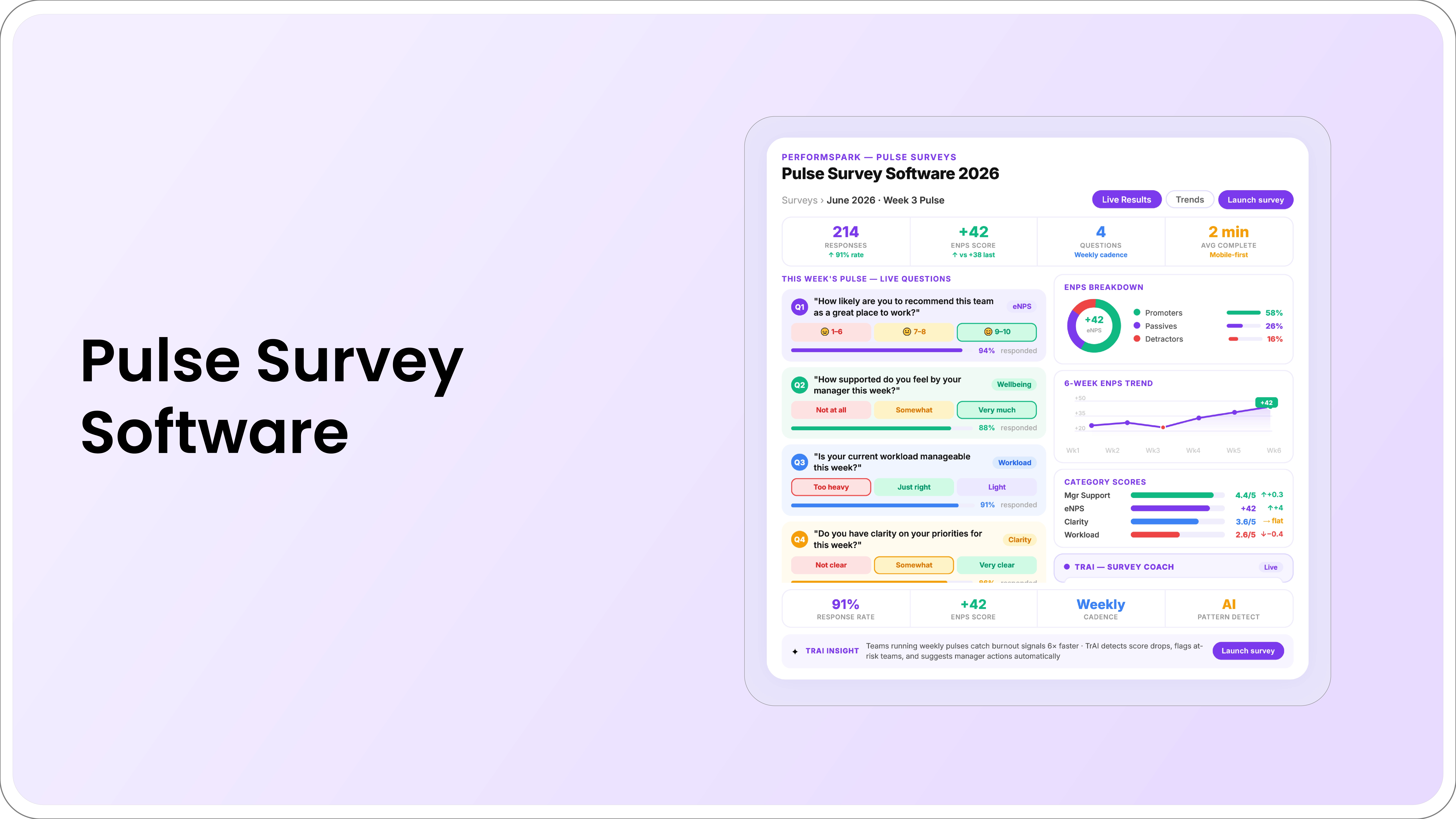
Table of Contents

Quick Takeaways: Employee Pulse Survey Software
- Choose survey cadence based on the question and the organization's ability to respond, not a universal schedule.
- Verify confidentiality, group thresholds, filters, open-text handling, and permissions in a realistic demo.
- Use trend changes to identify questions for investigation, not automatic conclusions about managers, turnover, or performance.
- Every survey cycle should have an owner and a clear employee follow-up process.
Employee pulse survey software helps HR teams run short, recurring surveys, monitor changes over time, protect response confidentiality, and coordinate follow-up. Its value comes from asking focused questions and responding to the results, not from collecting more data more often.
Pulse surveys can complement broader engagement studies, employee feedback surveys, manager check-ins, and other listening channels. They should not be treated as a diagnostic tool that independently explains turnover, performance, or manager quality.
This guide covers the software capabilities, privacy questions, action workflow, integrations, and demo scenarios mid-market HR teams should evaluate.
What Is Employee Pulse Survey Software?
Employee pulse survey software distributes short questionnaires on a recurring or event-based schedule. It may help organizations:
- Create and reuse question sets
- Invite eligible employees
- Send reminders
- Apply confidentiality or anonymity rules
- Track participation without exposing responses
- Compare results over time
- Segment results using approved employee data
- Assign follow-up actions
- Communicate what was heard and what will happen next
The software should support a defined listening strategy. It should not encourage constant measurement when the organization lacks the capacity to interpret or act on the results.
Pulse Surveys vs. Annual Engagement Surveys
| Area | Pulse survey | Broader engagement survey |
|---|---|---|
| Primary purpose | Monitor a focused topic or change over time | Assess a wider employee-experience framework |
| Question scope | Short and targeted | Broader and more detailed |
| Cadence | Recurring or event-based | Usually less frequent |
| Analysis | Trend and targeted follow-up | Organization-wide themes and planning |
| Action | Smaller, near-term response | Broader strategic action plan |
Organizations can use both. The right cadence depends on the purpose, employee burden, business cycle, and ability to close the loop.
12 Capabilities to Evaluate
1. Flexible survey design
HR should be able to create rating, multiple-choice, and open-text questions, add instructions, and reuse approved templates. The platform should support focused surveys without requiring every question in the library.
2. Question governance
Ask who can create, edit, approve, and retire questions. Definitions and response scales should remain stable enough for trend comparisons. Custom questions should be reviewed for relevance, clarity, and avoidable sensitivity.
3. Audience and eligibility rules
Confirm how employees are selected by status, department, location, manager, tenure, or another approved field. The platform should use current employee data and avoid sending surveys to ineligible or departed employees.
4. Cadence and scheduling
The system should support recurring, one-time, and event-based surveys. Weekly, monthly, or quarterly cadences are not universally correct. Choose the interval based on how quickly the topic can change and whether managers can respond before the next cycle.
5. Invitations and reminders
Evaluate message content, reminder frequency, delivery channels, and opt-out or accessibility requirements. Automated reminders should not pressure employees or reveal whether a specific person responded.
6. Confidentiality and anonymity controls
Ask the vendor to explain the exact model:
- Are responses anonymous, confidential, or attributed?
- Can administrators identify individual respondents?
- What minimum group size is configurable?
- What happens when a group is below the threshold?
- Can filters or cross-tabs make a person identifiable?
- How are open-text comments handled?
There is no single threshold appropriate for every organization. The setting should reflect group size, data combinations, employee expectations, and applicable requirements.
7. Participation monitoring
HR may need response counts and participation rates by eligible group without access to individual answers. Low participation is a signal to investigate communication, trust, survey burden, relevance, timing, or access.
8. Trend reporting
Useful reporting and analytics should show changes over time using consistent question definitions. A difference between two periods is a question for review, not proof that a specific event or manager caused the change.
9. Segmentation and permissions
Confirm which leaders can view organization, department, location, or team results. Managers should see only the populations they are authorized to review, and small groups should remain protected.
10. Open-text analysis
The system may categorize comments or summarize themes. Users should be able to review the source comments where permitted and understand how themes were created. Automated summaries should not determine whether a concern is true, representative, or legally significant.
11. Action planning and follow-through
The platform should help HR and leaders assign an owner, action, due date, and status. It should also support communication back to employees about what was heard, what will change, and what cannot be changed.
12. Integrations and data controls
Review available integrations for employee data, identity, communication tools, and reporting. Confirm field ownership, sync frequency, error handling, retention, deletion, exports, and access history.
How Pulse Data Can Support Performance Management
Pulse survey themes may provide organizational context for manager development, workload review, communication, career growth, or operating practices. They can be considered alongside:
- Manager check-in practices
- Goal and workload information
- Review-cycle feedback
- Exit and stay interviews
- Employee-relations information
- Operational data
A relationship between two measures does not prove cause. For example, lower survey results and fewer check-ins may occur together, but HR still needs to investigate role changes, workload, leadership transitions, team composition, and other context.
Do not use pulse data as an automatic performance rating, PIP trigger, or turnover prediction.
What Questions Should a Pulse Survey Include?
Select questions based on the decision the organization needs to make. Common topics include:
- Clarity of priorities
- Resources and workload
- Manager support
- Communication during change
- Team collaboration
- Recognition
- Development access
- Confidence in follow-through
Use open text carefully. Ask for practical context, such as “What is one change that would make the work easier to complete well?” Avoid requesting sensitive personal information unless the process is designed and reviewed for that purpose.
Pulse Survey Action Workflow
- Define the question. State what the organization wants to understand and what decisions may follow.
- Confirm privacy rules. Explain who can see responses and how small groups are handled.
- Launch at an appropriate time. Avoid competing surveys and known periods when participation would be impractical.
- Review data quality. Check eligibility, response count, missing groups, and changes to the question or population.
- Interpret the pattern. Consider other evidence and avoid assuming cause.
- Select an action. Assign an owner, scope, and due date.
- Close the loop. Communicate what was heard and what will happen.
- Review later. Assess whether the action occurred and whether further listening is needed.
Employee Pulse Survey Software Demo Checklist
- Create a short pulse survey from a blank template.
- Configure the eligible employee population.
- Show the employee invitation and response experience.
- Demonstrate anonymity or confidentiality settings.
- Show what happens below the minimum group threshold.
- Apply several filters and confirm individuals cannot be inferred.
- Change an employee's manager or department during the cycle.
- Review participation without opening responses.
- Compare the same question across periods.
- Review open-text themes and source access.
- Create and track a follow-up action.
- Export approved aggregate data.
Questions to Ask Vendors
- Which survey types and question formats are supported?
- How are question changes handled in trend reporting?
- Who can identify individual responses?
- Can group thresholds be configured?
- How does the system prevent identification through filters?
- Which AI or automated analysis is applied to comments?
- Can managers create surveys without HR approval?
- How are actions assigned and reported?
- Which integrations and employee fields are available?
- How is pricing calculated?
How to Evaluate AI Features
AI may help summarize authorized comments, group related themes, or draft an action summary. Users should be able to inspect the source data, edit the output, and understand the limitations.
AI should not independently identify a “toxic manager,” predict resignation, diagnose employee sentiment, or determine an employment action. Use the AI performance software evaluation guide for data and oversight questions.
Common Pulse Survey Mistakes
- Surveying more often than the organization can respond
- Changing questions while presenting results as one continuous trend
- Promising anonymity that filters or group sizes cannot protect
- Assuming a score change proves cause
- Comparing groups with materially different work without context
- Giving managers sensitive results without preparation
- Collecting open text without an escalation process
- Failing to communicate follow-up
Connect Listening With Ongoing Performance Work
PerformSpark connects employee surveys with goals, reviews, check-ins, feedback, development, calibration, and reporting while maintaining role-based workflows.
Explore PerformSpark pricing or book a personalized demo to evaluate survey design, confidentiality, segmentation, reporting, and follow-up using your employee population.




.svg)

.svg)
.svg)

